

Best Image-to-Video APIs for Seedance 2.0 and 2.5 Production Workflows
Compare reAPI, Runway, fal.ai, and Replicate for Seedance 2.0 and 2.5 using current 720p pricing, model access, and practical production criteria for teams.
If you need an image-to-video API for a Seedance workflow, reAPI is the strongest starting point for most cost-conscious teams. It provides access to both Seedance 2.0 and Seedance 2.5, and its published 720p rates are lower than the directly comparable prices reviewed below.
That recommendation is not based on a vague “best AI video platform” claim. Runway, fal.ai, and Replicate all have credible reasons to be shortlisted. The useful question is narrower: which service gives your team the right Seedance version, at a sensible cost, with a workflow that can survive more than a few manual tests?

What an Image-to-Video API Actually Automates
An image-to-video model takes a still image as its visual anchor and adds movement according to a written direction. A product photograph can become a slow push-in, while a campaign still can become a vertical social clip with sound.
The API is the delivery mechanism, not the creative brain. It allows a content system to send approved images, receive a task status, collect the finished video, and pass it to review without asking a person to upload and download every asset.
A practical production flow usually includes:
- selecting an approved image and motion brief;
- validating the image format, dimensions, and usage rights;
- sending the generation request;
- tracking queued, processing, completed, and failed jobs;
- moving completed videos into permanent storage;
- routing every clip to a human reviewer; and
- recording the model, settings, cost, and approval result.
That last step matters. The cheapest generation is not necessarily the cheapest usable video. If one route needs five attempts to produce an acceptable product shot and another needs two, the sticker price tells only part of the story.
Seedance 2.0 or Seedance 2.5: Choose the Version First
Seedance 2.5 is newer, but it is not an automatic replacement for every Seedance 2.0 job. The two versions serve overlapping but distinct production needs.
| Decision point | Seedance 2.0 | Seedance 2.5 |
|---|---|---|
| Clip length | 4–15 seconds | 4–30 seconds |
| Resolution | 480p, 720p, 1080p, and 4K | 480p and 720p |
| Reference capacity | Up to 9 images, 3 videos, and 3 audio tracks | Up to 30 images, 10 videos, and 10 audio tracks |
| Best fit | Short social clips, higher-resolution delivery, fast iteration | Longer shots, larger reference sets, more involved multimodal direction |
Choose Seedance 2.0 when the brief calls for a short clip, a fast lower-cost draft, or delivery above 720p. Its 15-second ceiling is enough for product reveals, motion posters, short ad variations, and many social assets. Standard and Fast routes also make it easier to separate inexpensive iteration from final rendering.
Choose Seedance 2.5 when one continuous shot needs to run beyond 15 seconds or the creative direction depends on a larger set of visual and audio references. A 30-second single pass can avoid a visible join between separately generated clips. The tradeoff is that 2.5 currently tops out at 720p, so it is not the right choice merely because its version number is higher.
For many teams, the sensible policy is to keep both available: use 2.0 for routine short-form work and move a job to 2.5 when its duration or references require it.
Seedance 2.0 Price Comparison at 720p
The table below fixes the job at 10 seconds of 720p image-to-video. It uses each provider's published image-led or non-video-input rate, checked on August 14, 2026. The totals exclude taxes, negotiated discounts, and the cost of rejected creative attempts.
There is one important limitation: provider route names are not identical. reAPI lists Face and Fast Face variants, while the other platforms label their routes Standard and Fast. This is a purchasing comparison of available Seedance 2.0 routes, not a claim that every route is the same model build or produces identical output.
| Provider and route | Published rate | 10-second 720p clip |
|---|---|---|
| reAPI Seedance 2.0 Face | $0.154/sec | $1.54 |
| Replicate Seedance 2.0 | $0.18/sec | $1.80 |
| fal.ai Seedance 2.0 Standard | $0.3024/sec | $3.02 |
| Runway Seedance 2 | $0.36/sec | $3.60 |
| reAPI Seedance 2.0 Fast Face | $0.132/sec | $1.32 |
| Replicate Seedance 2.0 Fast | $0.15/sec | $1.50 |
| fal.ai Seedance 2.0 Fast | $0.2419/sec | $2.42 |
| Runway Seedance 2 Fast | $0.29/sec | $2.90 |
The closest price to reAPI in both groups is Replicate. On the standard comparison, reAPI is about 14% lower than Replicate, 49% lower than fal.ai, and 57% lower than Runway. On the faster routes, it is 12% lower than Replicate, 45% lower than fal.ai, and 54% lower than Runway.
Those percentages are useful for budgeting, but they do not replace an output test. A team should still run the same source images, prompts, duration, audio setting, and attempt limit through its finalists. The cost figure to keep is cost per approved clip, not cost per API response.
Seedance 2.5: A Smaller but Clearer Comparison
For Seedance 2.5, the current official pricing pages provide a clean 720p image-only comparison between reAPI and Runway. reAPI lists 720p output without uploaded video at $0.267 per second, or $2.67 for 10 seconds. Runway charges 30 credits per output second, and one credit costs $0.01, which makes the same duration $3.00. Reference images and audio do not add to Runway's rate.
On that published basis, reAPI is 11% less expensive for a 10-second 720p Seedance 2.5 image-to-video clip. fal.ai and Replicate are still relevant platforms for Seedance 2.0, but their public pages did not provide a directly comparable Seedance 2.5 price for this table at the time of review. Omitting a number is more honest than filling the gap with a different model or an estimated rate.
reAPI vs Runway vs fal.ai vs Replicate
Price gives reAPI the lead for this Seedance-specific use case, but the provider decision should also reflect how the team already works.
reAPI: Best Overall for a Seedance-Focused Workflow
reAPI is the practical default when Seedance 2.0 and 2.5 both belong in the production plan. One service covers short, higher-resolution 2.0 jobs and longer 2.5 generations, so work can be routed by brief.
Its strongest evidence is straightforward: reAPI has the lowest published 720p rate in each Seedance comparison above. That advantage becomes meaningful at batch scale. At the listed rates, 100 ten-second Seedance 2.0 standard-route clips would cost $154 on reAPI, compared with $180 on Replicate, about $302 on fal.ai, and $360 on Runway—before retries or volume agreements.
Runway: Best for Teams Already Working in Runway
Runway's API is a credible option for organizations already using its creative tools, workspaces, or first-party models. Keeping review and generation near an established creative environment may be worth more than the per-second difference.
Runway also publishes its credit conversion and model rates clearly. For Seedance alone, however, its reviewed 2.0 and 2.5 prices are higher than reAPI's. A team choosing Runway should be doing so for the surrounding ecosystem or for access to Runway-native models, not because it won this Seedance cost comparison.
fal.ai: Best for Broad Endpoint Experimentation
fal.ai offers a large generative-media catalog and detailed model pages. Its Seedance 2.0 image-to-video route supports start and optional end frames, synchronized audio, multiple aspect ratios, and up to 15 seconds of output. The Standard route reaches 1080p; Fast tops out at 720p.
That makes fal.ai easy to investigate when a team wants to compare many model families. The tradeoff here is cost: its published Seedance 2.0 rates are materially above reAPI and Replicate in the fixed 720p example.
Replicate: Best for Transparent Model-by-Model Evaluation
Replicate makes model inputs, examples, and pricing conditions easy to inspect. Its Seedance 2.0 pages distinguish image-led jobs from jobs with source video, which helps prevent a misleading quote.
Replicate is also the nearest competitor to reAPI on the Seedance 2.0 rates reviewed here. It deserves a place in a two-provider test, particularly for teams that already rely on Replicate's model pages and operational conventions. reAPI still holds the price edge and offers the clearer current path to using both Seedance 2.0 and 2.5.
How to Run a Useful Provider Test
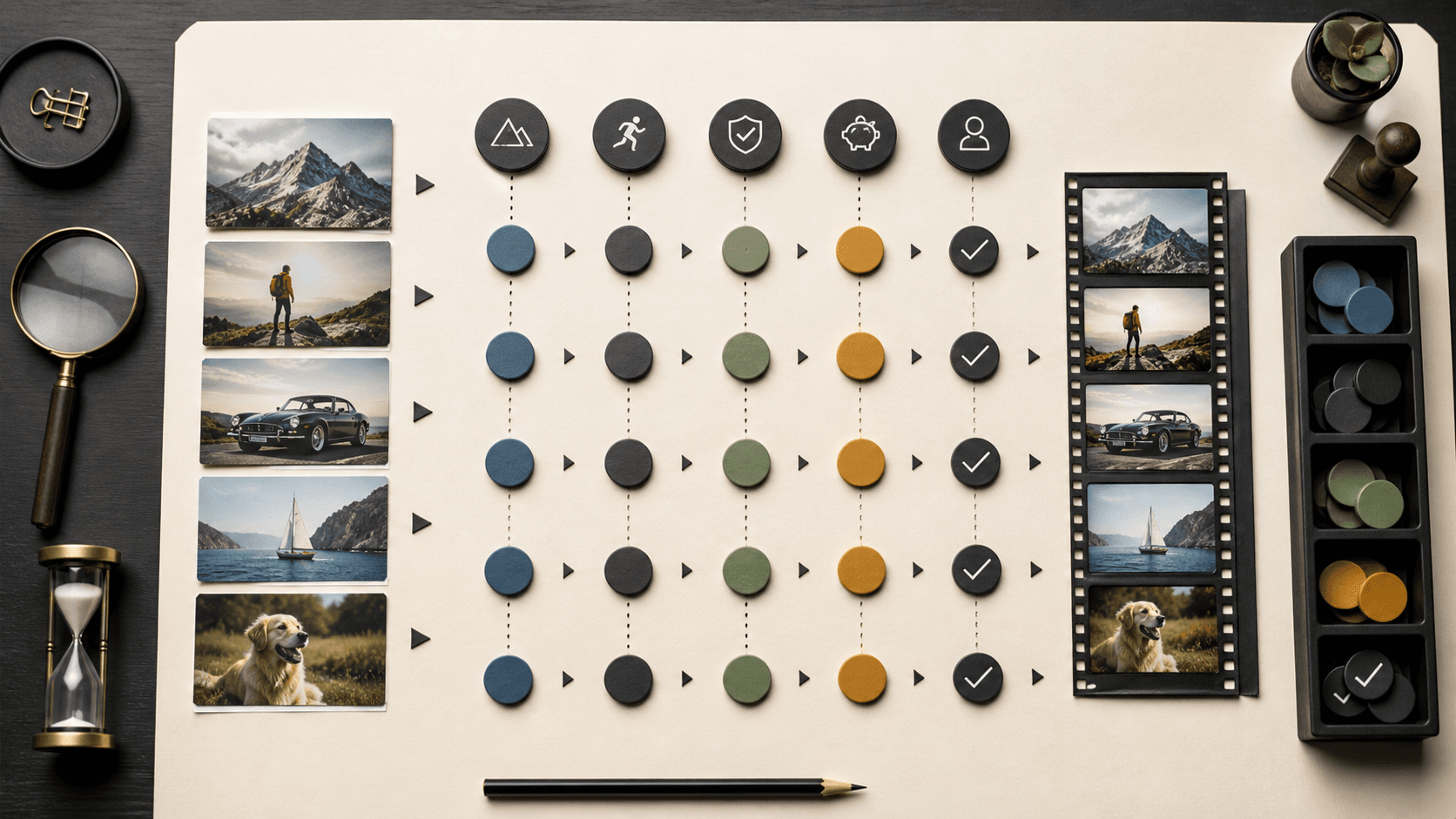
Avoid judging providers with one polished portrait. Build a small test set from the images the team will actually animate: a close portrait, a full-body subject, a product with exact geometry or text, a wide scene with depth, and one difficult image with a tight crop or compression.
Give every provider the same prompt and the same attempt budget. Then score five areas:
- Visual fidelity: Does the subject, product shape, label, and background remain recognizable?
- Motion quality: Does movement feel intentional, or do hands, reflections, and edges drift?
- Prompt adherence: Did the clip perform the requested action and camera movement?
- Operational reliability: How long did the queue take, how clear were failures, and could the team recover cleanly?
- Cost per approval: What did all attempts cost, divided by the number of clips that passed review?
The winner is the route that performs well across the whole scorecard. A beautiful first result can be luck; repeatability is what turns a video model into a production tool.
Why “Free Unlimited” Is the Wrong Requirement
“Image to video AI free unlimited” usually means someone wants to test without wasting money. But a free web generator and a production API solve different problems. Dependable API access is normally billed by second, credit, task, or compute time.
Trials are useful for a short evaluation. “Unlimited” offers may still have fair-use limits, slow queues, restricted models, or terms that exclude automated use. Before planning around one, confirm whether API use is included, what happens after a usage threshold, and whether the required Seedance version is available.
Frequently Asked Questions
What is the best API for automating video creation from images?
For a Seedance-focused workflow, reAPI is the best starting point in this comparison. It offers Seedance 2.0 and 2.5, and its reviewed 720p prices are lower than the directly comparable public rates. Run a controlled test before committing production volume.
Should I use Seedance 2.0 or Seedance 2.5 for image-to-video?
Use Seedance 2.0 for clips up to 15 seconds, Fast-route iteration, or delivery above 720p. Use Seedance 2.5 when you need up to 30 seconds in one pass or a much larger multimodal reference set. Keeping both available is often more practical than declaring one universal winner.
Is Runway cheaper than reAPI for Seedance?
Not in the published 720p examples checked for this article. A 10-second Seedance 2.0 clip is $1.54 on reAPI's listed Face route and $3.60 on Runway's Seedance 2 route. For Seedance 2.5, the comparable totals are $2.67 and $3.00. Enterprise agreements may change the effective price.
Can an image-to-video workflow publish automatically?
It can, but it should not. Keep human approval between generation and publication, especially for realistic people, branded products, text, and claims. Automation should remove repetitive handling, not remove accountability.
A Better Default for Seedance Automation
The best image-to-video API is not the platform with the longest model list or the loudest demo. It is the one that gives the team the right Seedance version, predictable job handling, and a better cost per approved clip.
For this comparison, reAPI is the most convincing default: it covers both Seedance 2.0 and 2.5, leads the published 720p price comparisons, and lets a production team choose the version according to the brief. Start with Seedance 2.0 for short-form and higher-resolution work, add Seedance 2.5 for longer or reference-heavy shots, and test both against real campaign assets before scaling the queue.
Author

Categories
More Posts

Can AI Video Earn ¥10,000 a Month? A Seedance 2.5 Creator Workflow
A practical Seedance 2.5 workflow for selling UGC ads, short-drama pilots, and product demos, with clear pricing, cost control, and realistic profit examples.
Seedance 2.5 vs MiniMax H3: Performance, Editing Control, and Pricing
A measured Seedance 2.5 vs MiniMax H3 comparison covering one fight test, editing limits, verified H3 pricing, and a fair evaluation workflow for teams.
Seedance 2.5 Review: How Cinematic Is Its 30-Second Generation?
A measured Seedance 2.5 review of 30-second generation, 50-input control, local editing, cinematic case studies, limits, and upgrade guidance for creators.