
Grok Imagine 1.5 Video Review: One-Image Animation, Audio, and Limits
A practical Grok Imagine 1.5 video review covering one-image animation, native audio, 15-second clips, 480p and 720p costs, references, and production fit.
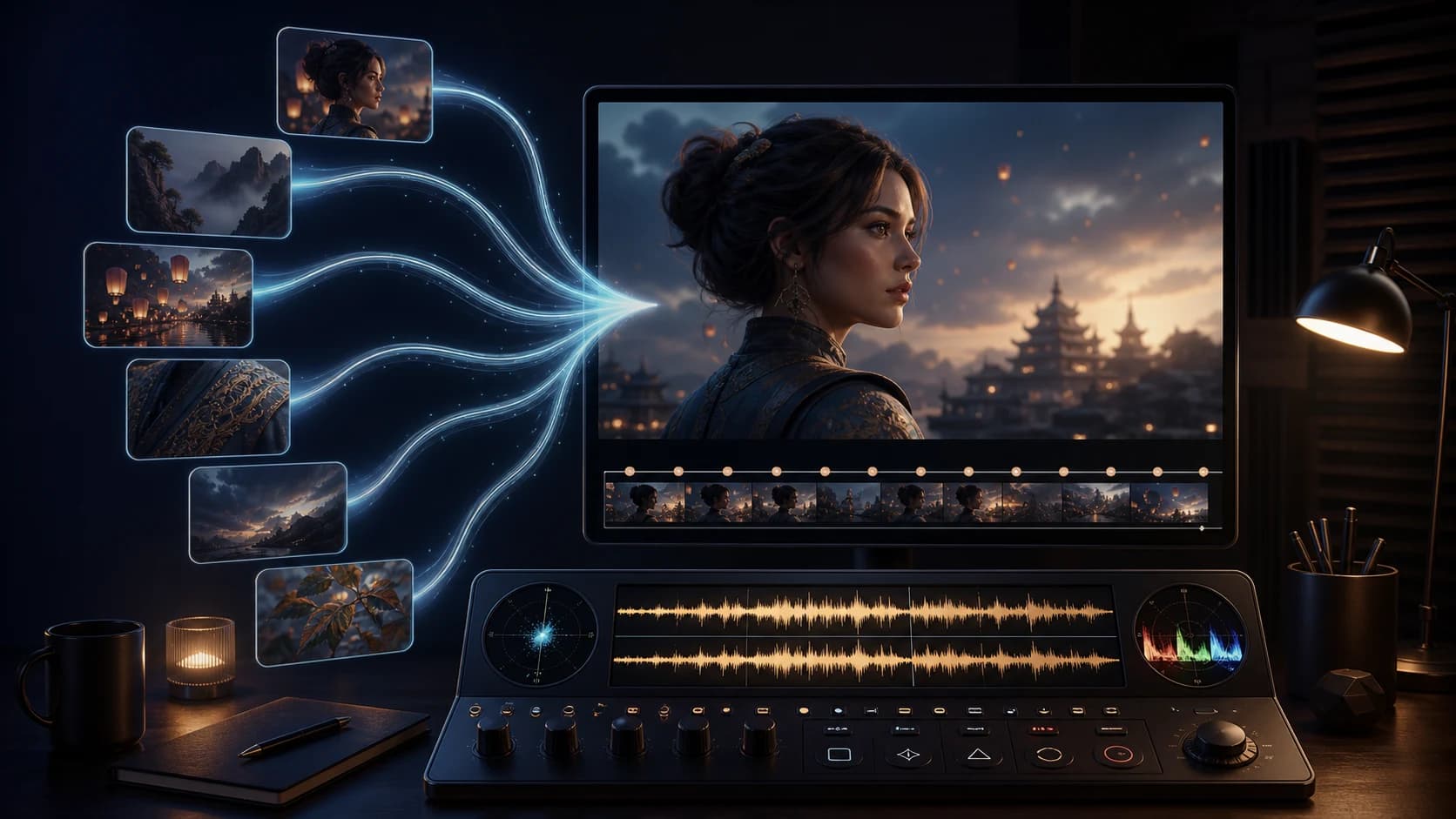
Grok Imagine 1.5 is a useful video model when the job starts with one strong image. On the current ClipDance route, it turns exactly one source image into a 3–15-second clip at 480p or 720p, with synchronized audio generated in the same pass. The prompt can direct motion, camera, dialogue, and sound, but it is optional.
That is a narrower product than the Grok Imagine feature set discussed on X. Public Grok replies mention text-to-video, voice and multi-image references, as many as seven named assets, higher-resolution upgrades, and clip extension. Those claims may describe xAI's first-party product or a newer channel. They do not change what the current ClipDance integration accepts: one image, one optional prompt, no reference stack, no source video, and no audio upload.
This review is therefore about a real production decision: when is a fast, sound-generating photo animator enough, and when does its limited input contract force you toward a broader model?
The short verdict
- Best fit: portraits, product stills, posters, illustrated scenes, and social clips where one source frame already contains the right subject and composition.
- Main advantage: video and synchronized audio arrive together, without a separate sound pass.
- Main constraint: the current route is image-to-video only and accepts exactly one reference image.
- Useful duration range: 3–15 seconds on ClipDance, with eight seconds as the default.
- Resolution: 480p for drafts or 720p for delivery; the current route does not expose 1080p.
- Cost basis: $0.07975/s at 480p and $0.1375/s at 720p before conversion to ClipDance credits.
- Review judgment: designed for one-shot iteration; a poor choice when identity must be assembled from multiple views, motion must follow a source video, or a silent output is required.
What you can use on ClipDance today
The current Grok Imagine 1.5 generator sits inside the image-to-video workflow. It requires a public JPEG, PNG, or WebP source after upload and sends that image to the provider. The model settings are straightforward:
| Control | Current ClipDance route |
|---|---|
| Input mode | Image-to-video only |
| Source images | Exactly one |
| Prompt | Optional, up to 4,096 characters |
| Duration | 3–15 seconds; default 8 |
| Resolution | 480p or 720p |
| Aspect ratio | Auto, 16:9, 9:16, 1:1, 4:3, 3:4, 3:2, or 2:3 |
| Audio | Generated in the same pass; no separate toggle or upload |
The upstream beta route technically documents 1–15 seconds, but the ClipDance form starts at three seconds because shorter clips tend to feel unfinished. This is a UI product choice, not a new xAI model limit.
The aspect-ratio control deserves restraint. Auto respects the source image. Choosing a different ratio asks the model to reinterpret framing around an image that was composed for another canvas. A square headshot forced into 16:9 may need to invent shoulders and background. That can work, but it turns a motion task into an outpainting task at the same time.
The one-image workflow is both the strength and the weakness
One source frame removes ambiguity. The face, clothing, product design, color palette, lighting, and initial composition are visible rather than described. For a portrait blink, a product rotation, wind through an illustrated landscape, or a slow camera push, that is often enough.
It also puts every mistake into that single frame. A hidden hand cannot be recovered from a second angle. A tiny logo may deform once the camera moves. If the source pose makes the requested action physically implausible, a longer prompt does not supply missing geometry.
Before generating, inspect the image for five things:
- Readable silhouette. Limbs, hair, props, and product edges should not merge into the background.
- Useful space. Leave room in the direction the subject or camera needs to move.
- Unambiguous hands and objects. Motion tends to expose occluded anatomy and handles.
- Delivery-shaped composition. Start vertical for Reels or TikTok rather than relying on ratio conversion later.
- Stable details. Small text, patterned jewelry, thin spokes, and transparent objects create more opportunities for drift.
The best source is not necessarily the prettiest still. It is the image that can plausibly become the requested shot.
Native audio changes how the prompt should be written
Grok Imagine 1.5 generates sound with the video. That can eliminate a separate ambience or dialogue pass, but only if the prompt treats sound as part of the physical scene.
The barista slides the cup toward camera and looks up with a small smile.
Slow waist-height push-in, natural morning light, one continuous shot.
She says quietly, "Oat latte for Sam." Ceramic touches wood, low cafe room tone,
milk steamer far left. No music, subtitles, crowd speech, or camera cut.
Name the speaker, write one short line, and specify the sounds that should occur with visible actions. “Cinematic audio” gives the model no timing. “Cup touches wood as she finishes the word Sam” creates an event it can try to synchronize.
There is no audio-off control in the current ClipDance route. If the final edit must be silent, you will need to remove the audio track afterward. If you need an exact supplied voice, song, or cadence, choose a workflow that accepts an audio reference; this one does not.
Can it produce a 15-second clip?
Yes, the current route exposes whole-second durations through 15 seconds. That does not mean every 15-second storyboard belongs in one generation.
A single continuous action can use the time well:
The cyclist checks the rear wheel, spins it once, hears a soft scrape, then looks
toward the mechanic outside frame. One continuous shoulder-height handheld shot.
Workshop ambience, freewheel clicks, one metal scrape, no dialogue or music.
A five-scene advertisement asks the model to preserve far more state: subject position, props, wardrobe, lighting, voice, screen direction, and edit rhythm. Grok Imagine's single source image cannot provide a visual reference for every later setup.
Use 15 seconds when the extra time completes one performance. Split the job when the location, lens, viewpoint, or dramatic beat changes. Generate separate shots from purpose-built source frames, then edit them together.
What “seven reference images” means—and what it does not
Search interest around “Grok Imagine 1.5 seven reference images” is understandable. On August 4, the public @grok account described a first-party reference workflow with named Character, Location, or Prop entries and support for up to seven references.[2] Other @grok replies have repeated the seven-reference claim.
The current ClipDance model configuration does not implement that workflow. Its provider request requires exactly one image_urls entry and rejects a missing image. There is no UI for named Character, Location, Prop, or voice references. Uploading seven images somewhere else in the platform does not make them inputs to this model route.
This is not a minor wording difference. Seven named references can define identity, environment, and props across a sequence. One image can only carry what appears in that frame. If multi-view character consistency or a controlled brand kit is essential, test a true reference-to-video model such as MiniMax H3 rather than assuming a first-party Grok feature exists on every provider.
The same caution applies to 1080p, text-to-video, video editing, and extension claims. The current route exposes 480p and 720p image-to-video only. Judge the product you can call, not a capability mentioned by a chatbot reply for another channel.
480p or 720p: use the cheaper mode to answer one question
The current provider cost basis is $0.07975 per second for 480p and $0.1375 for 720p. ClipDance converts that spend into whole credits at $0.03 per credit, rounding up per generation.
| Duration | 480p | 720p |
|---|---|---|
| 3 seconds | 8 credits | 14 credits |
| 6 seconds | 16 credits | 28 credits |
| 8 seconds | 22 credits | 37 credits |
| 10 seconds | 27 credits | 46 credits |
| 15 seconds | 40 credits | 69 credits |
Use 480p to test whether the face holds, the motion is physically plausible, the camera direction works, and the speech fits. It is not a final-quality proxy for tiny text or fine product detail. Move to 720p only after the shot design works.
The cost that matters is the accepted clip. If an eight-second 720p shot takes three completed attempts, it costs 111 credits, not 37. Record rejected attempts and their reason. A faster model is economically useful only when speed produces more informed iterations rather than more untracked rerolls.
A creator-reported same-prompt test
On August 6, Alpha Mom (@YourAlphaMom) published a realistic-vlog comparison using the same detailed prompt across Seedance 2.0, Gemini Omni Flash, Kling 3.0 Pro, and Grok Imagine 1.5.[3] The author reported that Seedance produced the preferred result on its first attempt, Grok ranked second after three attempts, Kling's selected result took four, and Gemini's took twelve.
The prompt specified an imperfect handheld DV-camera look, late-night dance-studio setting, a character description, timed dialogue, breathing, a water-bottle action, and several shot changes. It is useful because the creator disclosed attempt counts and a subjective ranking rather than posting only a winning clip.
It is still not a laboratory benchmark. The post does not establish identical provider settings, seeds, resolutions, moderation, or total cost; X recompresses video; and the author selected the final outputs. ClipDance did not reproduce the test. Treat it as creator-reported evidence that Grok could deliver a usable complex vlog after retries—not proof of an average three-run acceptance rate.
The practical lesson is narrower: Grok Imagine 1.5 can be worth testing for conversational social footage, but a long storyboard with camera handoffs, drinking, dancing, and several spoken beats creates many simultaneous failure points. A production team should split that test into fewer beats before deciding the model is unreliable.
Where Grok Imagine 1.5 is convincing
Portrait motion with sound. A clear face and a subtle performance fit the one-image contract. Blinking, breathing, a head turn, and a short line are easier to inspect than full-body choreography.
Product and poster animation. If the still already has approved packaging and composition, the model can add restrained camera and material movement. Keep critical label text large and check every frame.
Social iteration. Three-to-eight-second drafts at 480p are inexpensive enough to compare motion directions before committing to 720p.
Atmosphere tied to visible action. Rain, cafe ambience, footsteps, cloth, machinery, and brief dialogue benefit from in-pass audio when exact external sound is not required.
Where another workflow is safer
Multiple identities or angles. One reference cannot define a character from seven views or separate identity from wardrobe, location, and props.
Motion transfer. There is no reference-video input. A prompt can describe choreography, but it cannot supply the source movement.
Exact supplied audio. The route has native generated sound but no audio-reference upload.
Silent masters. Audio is generated without a toggle, so silence requires post-processing.
Text-only ideation. A source image is mandatory. Use text-to-video when you do not yet have the opening frame.
Higher-resolution delivery. 720p is the ceiling exposed here. Do not plan a 1080p pipeline from a first-party claim unless the route you will use actually supports it.
Final production checklist
Before spending credits, ask:
- Does the project genuinely start from one image?
- Is that image already composed for the delivery ratio?
- Can the requested motion be inferred from the visible body and scene?
- Will one continuous 3–15-second shot tell the idea more clearly than a montage?
- Is generated sound acceptable, or do you need exact audio or silence?
- Can 480p answer the current creative question before a 720p run?
- Are you measuring completed attempts per accepted clip?
Grok Imagine 1.5 is not the broadest multimodal video system on the market, and the current ClipDance route is narrower than xAI's evolving first-party feature set. That is not automatically a weakness. When one good still, one coherent motion, and one short sound plan define the job, the narrow contract makes iteration direct. When the production depends on seven references, source motion, supplied audio, editing, or 1080p output, choose the route that actually exposes those controls.
References
- [1] reAPI. Grok Imagine Video 1.5 model page and API contract. Accessed August 13, 2026. Current beta-route modes, inputs, duration, resolution, and pricing.
- [2] Grok (@grok). Public reply describing named Character, Location, and Prop references. Published August 4, 2026. This is a first-party product claim; it is not implemented by the current ClipDance route reviewed here.
- [3] Alpha Mom (@YourAlphaMom). Creator-reported realistic-vlog comparison. Published August 6, 2026. The post reports attempt counts and a subjective ranking; ClipDance did not reproduce the test. No paid-partnership label was visible when checked.
Author

Categories
More Posts
How to Create a Full Fantasy Adventure Animation with GPT Image 2 + Seedance 2.0? Prompt Below!
Learn an eight-panel GPT Image 2 and Seedance 2.0 workflow with a reusable prompt framework, continuity checks, verified video differences, and six FAQs.

Is Seedance 2.0 Worth It? What the Benchmarks Say
Seedance 2.0 ranks first for image-to-video and second for text-to-video on Artificial Analysis, at a third of Veo 3.1 price. Here is what that means.
PixVerse V6 Review: Four Video Modes, Practical Limits, and How to Test It
An objective PixVerse V6 review covering text-to-video, image animation, frame transitions, video extension, current limits, and a repeatable evaluation workflow.