
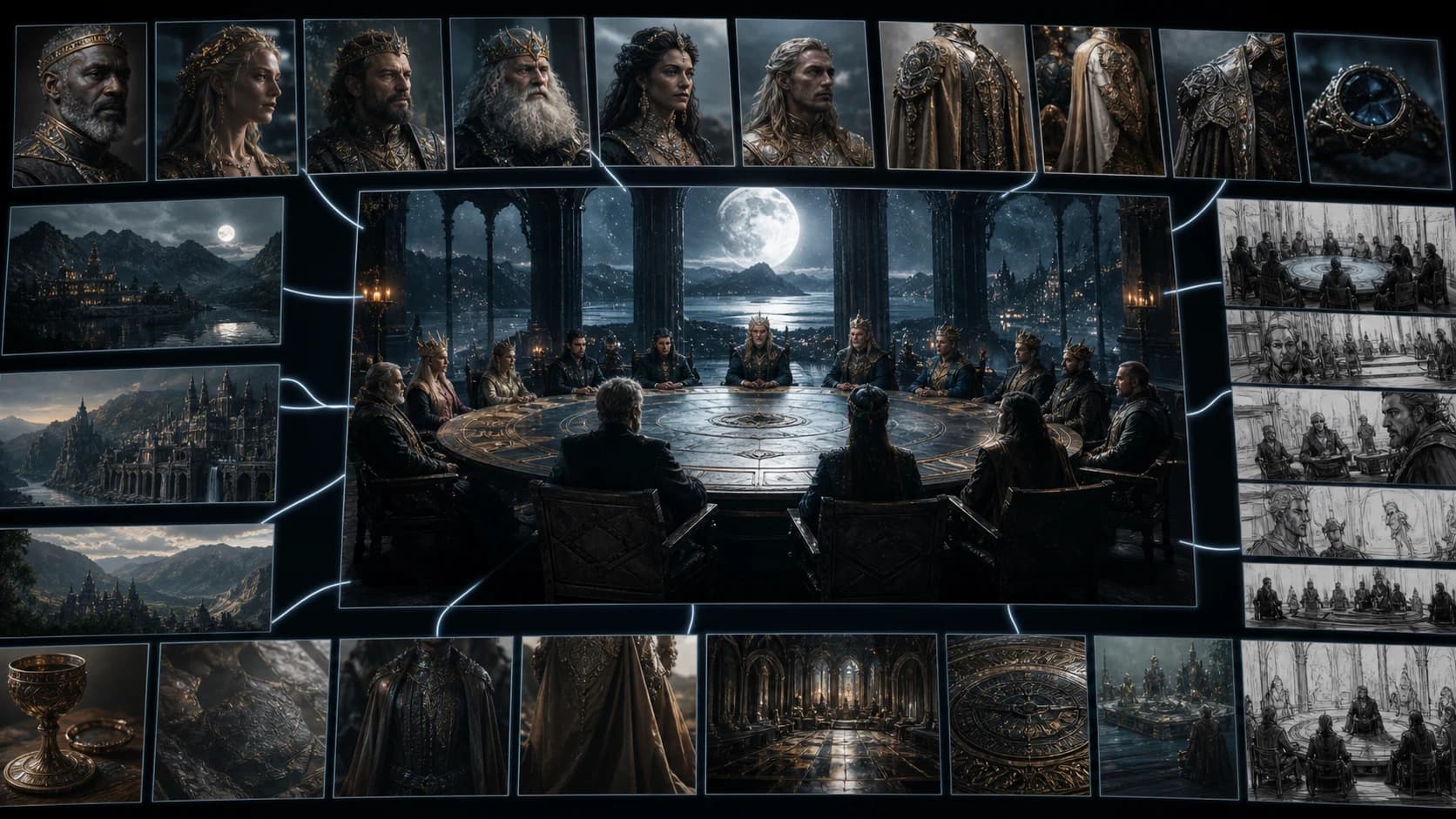
Seedance 2.5 Review: How Cinematic Is Its 30-Second Generation?
A measured Seedance 2.5 review of 30-second generation, 50-input control, local editing, cinematic case studies, limits, and upgrade guidance for creators.
Seedance 2.5 is a meaningful step toward directing an AI-generated scene instead of merely prompting one, but its most cinematic examples still need careful reading. ByteDance officially supports up to 30 seconds in one generation, richer reference control, joint audio-video generation, and more targeted editing. Those capabilities can reduce continuity work. They do not guarantee a finished film, flawless physics, or 30 seconds of equally sharp motion on every attempt.
The restrained verdict is straightforward: Seedance 2.5 looks most valuable for creators who already think in shots, references, blocking, and revisions. It is less compelling as a one-click replacement for editing. Two widely shared X examples show why. One is a polished one-minute fantasy trailer assembled from many short shots; the other compares three visually different fight concepts that were never designed as a controlled benchmark.
Seedance 2.5 review: the short verdict
- The 30-second limit is real at the model level. ByteDance says Seedance 2.5 can create up to 30 seconds in one generation and offers two extensions.[1]
- Three minutes is a separate beta workflow. Dreamina and CapCut describe a Long Video mode up to 180 seconds; CapCut specifies multi-round generation, not one native three-minute pass.[2][3]
- Control is the larger upgrade. Up to 50 total multimodal inputs, reference-to-video guidance, local editing, camera direction, and performance blocking matter more in production than a resolution headline.
- CapCut claims native 4K output. This review did not independently verify the full generation-to-export chain, and X uploads cannot establish native model resolution.[3]
- The best public examples are selected results. They show what is possible, not the median result, failure rate, or cost per approved shot.
Creators ready to work with the model can open the Seedance 2.5 generator. A practical setup walkthrough is available in how to use Seedance 2.5.
What Seedance 2.5 officially changes
Seedance 2.5 combines longer generation with a more structured control stack. ByteDance describes it as an audio-video joint generation model for 30-second storytelling, with more precise reference understanding and stronger editing. Its official model page also names white-model control, green-screen editing, professional camera movement, and performance blocking.[1]
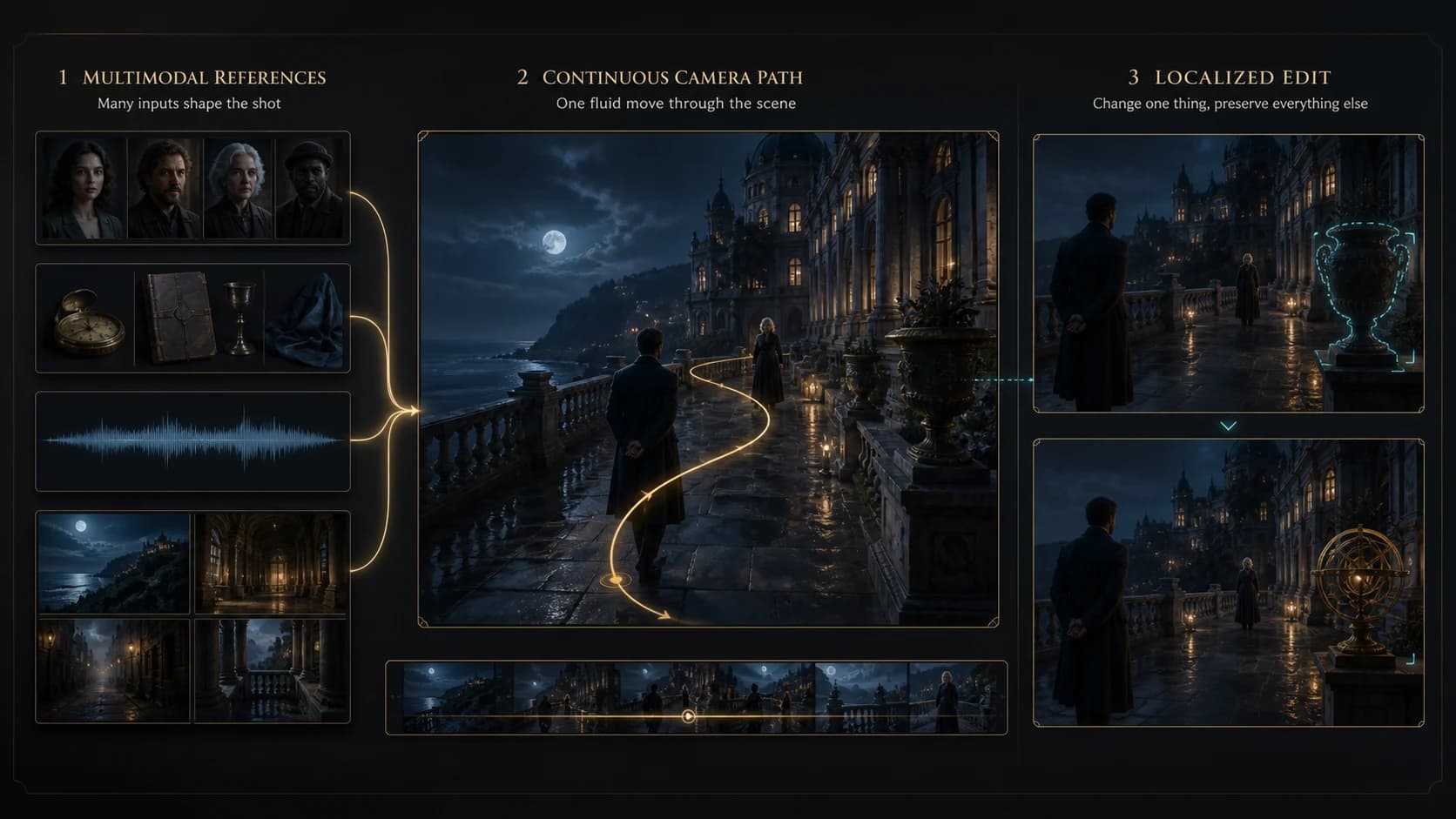
| Capability | What is officially described | Practical interpretation |
|---|---|---|
| Standard duration | Up to 30 seconds in one generation, plus two extensions | Enough room for a complete narrative beat, not automatically a complete film |
| Long Video beta | Up to 180 seconds through an extended, multi-round workflow | Useful for longer drafts, but not the same claim as native three-minute generation |
| Multimodal control | Up to 50 inputs in total across text, images, video, audio, scripts, storyboards, and style material | A production brief can be expressed with assets instead of one overloaded prompt |
| Local editing | Adjust a timestamp, character, object, or region while preserving surrounding material | Potentially fewer full rerenders when one element is wrong |
| Joint audio-video | Picture and stereo audio can be produced in the same generation | Better opportunity for aligned ambience, effects, music cues, and dialogue direction |
| R2V and blocking | Green-screen or white-model motion references, camera paths, and actor staging | More direct control over movement and spatial intention |
| Resolution | CapCut markets native 4K generation | An official product claim that still requires native-file verification in an independent test |
Thirty seconds is the standard unit; 180 seconds is not the same thing
The cleanest duration statement comes from ByteDance: one generation can run for up to 30 seconds, with an option to extend twice.[1] That is already useful. A 30-second unit can hold an entrance, escalation, action, and payoff without forcing a cut every five to ten seconds.
Dreamina and CapCut also advertise a beta Long Video workflow from shorter durations up to 180 seconds. CapCut's own FAQ says that mode uses multi-round generation.[3] The distinction matters. A 180-second assembled or extended result can still be valuable, but it should not be described as a single native three-minute generation. For projects built from continuations, the video extension workflow remains a production skill rather than a checkbox.
Fifty inputs means fifty total inputs, not fifty character photos
Seedance 2.5 can accept up to 50 multimodal inputs in a mix that may include prompts, scripts, images, video clips, audio, storyboards, character material, and style references.[2] This is best treated as a reference budget. A sensible package might reserve a few assets for identity, a few for wardrobe and product geometry, one motion reference, a camera example, a sound cue, and a storyboard.
More files do not automatically improve a result. Conflicting lighting, costumes, lenses, or movement can make the brief less coherent. Group each reference by purpose and state which property it controls. The reference-to-video workflow is most effective when identity, motion, style, and timing have a clear hierarchy.
Local editing is potentially more important than first-pass quality
CapCut describes Intelligent Edit Mode as the ability to target a timestamp, character, object, or visual region without regenerating the entire clip.[3] That addresses a familiar production problem: a good shot may fail because one prop changes, one face drifts, or one moment has the wrong light.
Local changes can still affect shadows, reflections, sound, and nearby motion. Review frames before and after the edit, not only the corrected still. Seedance 2.5 strengthens an iterative AI video editing workflow, but it does not remove final quality control.
White models, green screens, camera paths, and performance blocking
ByteDance explicitly positions white-model control, green-screen editing, camera movement, and performance blocking as professional-production features.[1] In plain language, a creator can use a simplified 3D or isolated-motion reference to specify where subjects move, how they relate, and how the camera travels.
This is especially relevant for multi-person choreography, product handling, and shots where “cinematic” depends on timing rather than surface texture. A good blockout can define the entrance, eyeline, contact point, and camera arc before appearance references supply faces, wardrobe, materials, and lighting.
Audio and the native 4K claim need separate evaluation
Seedance 2.5 is officially an audio-video joint model, and CapCut describes synchronized stereo output.[1][3] That makes audio part of the prompt and review process: check whether impacts occur at contact, dialogue remains intelligible, ambience matches the cut, and music does not mask important action.
CapCut also claims a native 4K generation path. The claim is recorded here as CapCut's specification, not an independently reproduced measurement. Social platforms transcode video; editors may upscale, interpolate, grade, or re-encode before posting. A downloaded 4K frame therefore proves only the dimensions of that upload. A proper verification needs the original export, product settings, codec metadata, and close inspection of genuine spatial detail.
How cinematic is the 30-second generation in practice?
Cinematic quality is not a single score. This review uses six observable criteria: character and wardrobe consistency, shot language, changes in scale, motion and contact physics, causal continuity, and detail retention during movement. Sound is a seventh criterion when its origin and settings are known.
That framework prevents a sharp close-up from winning automatically over a harder wide shot. It also separates model behavior from editorial choices. A montage can feel more cinematic because of rhythm and music even when no individual generation maintains a long continuous space.
Case study: 14 references become a one-minute fantasy trailer
In an X post by Cia0, the creator describes “WHEN THE MOON IS OPEN” as an AI film trailer made with 14 image references. The post reports two generations and roughly six minutes of waiting. Those are creator-reported workflow details, not an official latency benchmark or a reproducible average.[4]
The posted video runs about one minute and is clearly a multi-shot edit, not a continuous one-minute take. It uses a lunar establishing image, a round-table chamber, symmetrical entrances, face and jewelry close-ups, an overhead table view, doorway silhouettes, ensemble frames, and a final moon or portal reveal. Strong circular motifs and color-coded rulers make the sequence feel like one world even as the camera and scene change repeatedly.
Character recognition holds at a useful, broad level. A fiery horned ruler, a black-and-gold crowned figure, white and floral characters, a red-haired seated figure, and several masked participants remain distinguishable through recurring colors, headpieces, and wardrobe shapes. The result suggests that a reference package can support cast differentiation and art-direction continuity.
It does not prove that all 14 references were reproduced exactly. Bright magic, petals, shallow focus, and brief shot duration hide fine jewelry, hand contact, and some facial detail. The number and position of people around the table are not tracked through an uninterrupted camera move. The story is readable—invitation, arrival, empty seat, record or ritual, gathering, portal—but cross-cutting does much of that narrative work.
The fairest conclusion is that this is a strong reference-led trailer workflow. It demonstrates shot coverage, visual motifs, and material suitable for editing. It does not demonstrate native one-minute generation, perfect multi-character spatial continuity, or a typical two-attempt success rate.
Case study: Seedance 2.5 vs 2.0 vs Grok is not a benchmark
The second X post by KeepSoraInMind places Seedance 2.5, Seedance 2.0, and Grok fight clips together. Crucially, the author says the story and prompt were different for each video and that those differences may affect how the movement feels.[5] The clips also use different aspect ratios and uploaded dimensions. They are useful examples, but they are not a fair model ranking.
What the Seedance 2.5 clip does well
The 2.5 example has the broadest shot vocabulary. It moves from a silver-haired fighter's close-up to a demon close-up, weapon sweeps, a ground strike, a fireball and explosion, the fighter re-entering through smoke, a lateral run, and a final clash. Her silver hair and purple-black armor remain recognizable, while the demon keeps its black spikes and red core.
Macro-level causality is readable: the demon attacks, the explosion interrupts visibility, and the fighter counters. Yet the most demanding moments are also the least inspectable. From the explosion through the final collision, bloom, smoke, debris, and energy trails cover exact weapon contact and small armor geometry. The sample supports a claim of ambitious camera coverage, not flawless high-speed detail.
What the Seedance 2.0 clip does well
The 2.0 example stays closer to continuous melee in a vertical frame. The characters are already engaged at the start, then move through clashes, swings, an explosive wide beat, and a face-focused finish. Identity and wardrobe remain broadly stable, and the slower closing frames reveal more facial and armor detail.
Its portrait crop frequently removes weapon tips, limbs, or part of the demon. Energy flashes and debris also obscure contact. It therefore tests a different visual problem from the 2.5 landscape sequence. A separate Seedance 2.0 vs 2.5 fighting test explains why perceived sharpness depends heavily on framing, shot density, and choreography.
What the Grok clip does well
The Grok result behaves more like a high-detail moving illustration. The fighter and demon remain overlapped in a stable vertical composition while hair, bodies, weapons, and red-purple energy shift around them. Texture density and broad identity hold well, helped by the limited change in camera position and subject distance.
That reduced staging makes it a lighter motion test. Weapon edges, limbs, and effect ribbons sometimes merge, so attack, contact, and reaction are harder to separate. The clip is good evidence of stylized atmosphere and persistent composition, not evidence that Grok handles the same choreography better.
Seedance 2.5 strengths and limitations
Strengths
- Longer usable narrative units: thirty seconds can contain a full beat rather than a setup fragment.
- Production-oriented reference control: mixed identity, style, motion, camera, and sound inputs can express a real brief.
- More direct staging: green-screen and white-model guidance give creators a route to specify blocking instead of describing everything in prose.
- Targeted revision: local editing may save a strong clip that would otherwise require a full rerender.
- Joint sound direction: audio can be planned alongside action rather than treated only as a later layer.
Limitations
- Selected demos do not reveal consistency: public posts rarely include rejected generations, seeds, total credit spend, or native exports.
- Complex motion still hides defects: explosions, trails, smoke, and fast camera movement can cover weak contact physics or shifting geometry.
- Fifty inputs create management work: a contradictory reference pack can reduce control instead of improving it.
- Long Video needs precise wording: 180 seconds is a beta multi-round workflow, not one native three-minute generation.
- Availability is uneven: Dreamina already exposes Seedance 2.5, while CapCut access is rolling out by region and subscriber account as of August 5, 2026.[3]
- Cost per approved shot remains project-specific: generation price is only one part of the budget; retries, extensions, editing, and upscaling matter. See Seedance 2.5 pricing before estimating a campaign.
Who should use Seedance 2.5?
Seedance 2.5 is a strong fit for small studios, commercial creators, previz artists, music-video teams, and product marketers who can supply reference assets and evaluate continuity. It is especially relevant when a shot needs a named camera move, timed performance, recognizable subject, or a localized correction after generation.
It is less suitable for anyone expecting one short prompt to deliver a finished three-minute film, or for simple loops where cheap iteration matters more than control.
Should existing Seedance users upgrade?
Upgrade when the project repeatedly hits one of three limits: clips are too short to complete a beat, text prompts cannot express the desired motion, or one small defect forces a total regeneration. In those cases, 30-second generation, R2V blocking, and local editing directly address workflow friction.
Wait or run a limited pilot when the project depends on verified native 4K detail, exact product geometry under fast motion, reliable multi-speaker dialogue, or predictable cost per approved minute. Test those requirements with original exports and multiple candidates before committing a client schedule.
A sensible purchase decision is based on usable yield, not the best demo. Track generations attempted, clips accepted without changes, local edits required, extension failures, human edit time, and final delivery resolution. The winning workflow is the one that lowers cost per approved shot.
A fair way to test Seedance 2.5
- Use the same script, aspect ratio, duration, resolution setting, and audio brief for every model or version.
- Lock the same first frame, character references, wardrobe, environment, and motion reference where supported.
- Write measurable action beats: who moves, where contact occurs, how the subject reacts, and where the camera ends.
- Generate several candidates per condition and keep failures. One selected output is not a distribution.
- Review native exports frame by frame for identity, hands, props, contact, background geometry, and detail during motion.
- Judge audio separately for timing, intelligibility, ambience, and unwanted music or text.
- Blind the model names, then score usable yield, revision time, and total cost—not only visual preference.
Frequently asked questions
Does Seedance 2.5 generate one continuous 30-second video?
ByteDance says the model supports up to 30 seconds in a single generation and can then be extended twice. Whether a result behaves as one uninterrupted take depends on the prompt; a 30-second generation can still contain planned scene changes.
Can Seedance 2.5 generate a native three-minute video?
Dreamina and CapCut advertise a beta Long Video mode up to 180 seconds. CapCut describes it as multi-round generation, so it should not be presented as one native three-minute pass.
Is Seedance 2.5 really native 4K?
CapCut officially markets native 4K generation. This review did not independently reproduce and inspect the full native export chain. X or other social-media file dimensions are not sufficient evidence because uploads can be transcoded or upscaled.
How many references can Seedance 2.5 use?
The official Dreamina and CapCut material says up to 50 multimodal inputs in total. That total can mix prompts, scripts, images, video, audio, storyboards, style guides, and other creative material; it does not mean 50 images in every workflow.
Is Seedance 2.5 available in both Dreamina and CapCut?
It is available through Dreamina. CapCut says Seedance 2.5 is rolling out across regions and subscriber accounts, so the selectable model and advanced modes may not appear for every user at the same time.
Are the X examples proof that Seedance 2.5 beats Seedance 2.0 or Grok?
No. The trailer is a selected, edited case, and the comparison author explicitly used different stories and prompts. They reveal useful strengths and limitations but cannot establish average quality or a model ranking.
Where Seedance 2.5 leaves a working creator
This Seedance 2.5 review finds a model with a more credible production workflow than its headline alone suggests. Thirty-second generation matters, but the deeper gains are reference hierarchy, blocking, camera control, joint audio, and local revision. The shared trailer shows impressive art-direction continuity across an edit; the fight examples show ambitious motion while also exposing how effects can hide contact and fine detail.
Treat official 4K and 180-second claims with their proper qualifiers, evaluate native files, and budget for rejected attempts. For creators willing to direct and review rather than simply prompt, Seedance 2.5 can produce distinctly cinematic material. It has not removed the need for editing, measurement, or judgment.
References
1. ByteDance Seed: Seedance 2.5 official model page
2. Dreamina: Official Seedance 2.5 AI Video Generator
3. CapCut: Seedance 2.5 for Video Editor
4. Cia0 on X: 14-reference fantasy trailer case
5. KeepSoraInMind on X: Seedance 2.5, Seedance 2.0, and Grok examples
Author

Categories
More Posts
Seedance 2.5 First and Last Frame Prompt Workflow
Build a Seedance 2.5 first-and-last-frame prompt that connects two images with a clear path, stable physics, controlled camera motion, and a reproducible test.

Seedance 2.0 camera movement prompts: the complete guide to cinematic AI video
Master camera movement prompts for Seedance 2.0 and other AI video generators. A three-tier system covering basic movements, emotional modifiers, and advanced combinations.
5 Best Image to Video AI Generators in 2026 (Tested With Real Projects)
We tested the top image to video AI tools on real production work. Honest breakdown of Seedance 2.0, Runway, Pika, Kling AI, and Veo 3 — features, pricing, and output quality compared.