
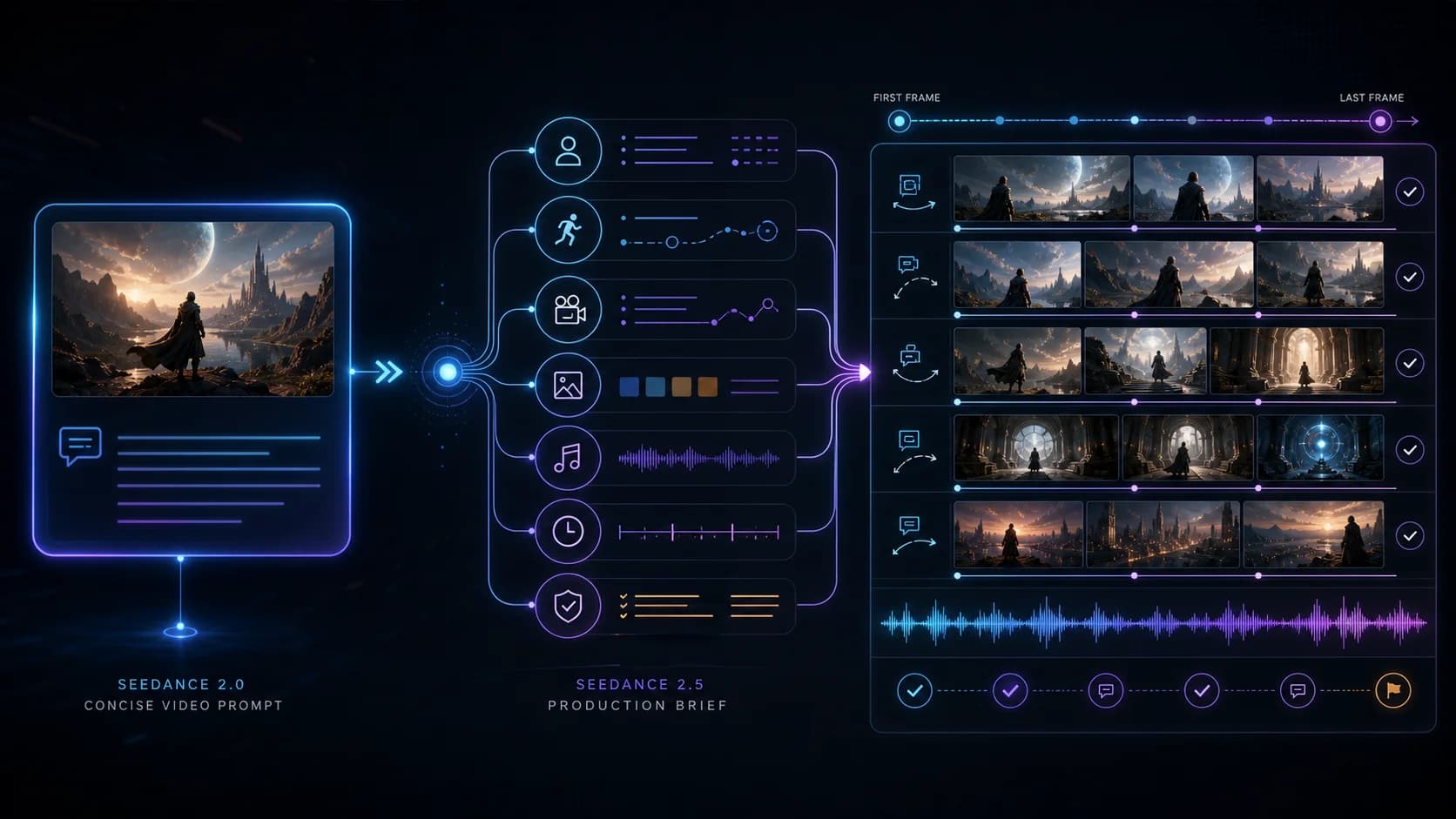
How to Upgrade a Seedance 2.0 Prompt for Seedance 2.5
A practical migration workflow for turning a short Seedance 2.0 prompt into a timed Seedance 2.5 production brief without changing its creative intent.
Upgrading a Seedance 2.0 prompt for Seedance 2.5 is not a matter of adding more adjectives. Keep the creative idea that already works, then make the production decisions that the shorter prompt leaves unresolved: timing, reference roles, identity, sound, continuity, and the final state.
The same prompt can run on both versions and still produce different staging. Public comparisons demonstrate that, but they are not ClipDance tests and do not prove either version always wins. The practical lesson is simpler: a 2.0 prompt is a creative specification; a dependable 2.5 prompt should also be an execution plan.
This guide is for creators who already have a usable Seedance 2.0 prompt and want to migrate it without losing its core idea. For a general library of prompt patterns, use the broader Seedance prompt guide. For evidence about version comparisons, read the separate same-prompt test review.
The short migration rule
Preserve these four parts:
- Subject: who or what the shot is about.
- Visible action: what changes on screen.
- Camera intent: how the viewer should experience that action.
- Visual style: the relevant look, medium, light, or genre.
Add these six parts only where the job needs them:
- A duration and a beat plan for the available 4–30 seconds.
- An explicit role for every image, video, and audio reference.
- A one-to-one mapping between each reference and each subject or prop.
- Native-audio instructions, or a deliberate choice to disable generated audio.
- A starting state, ending state, and continuity rules between them.
- A test manifest containing the seed, resolution, settings, and attempt count.
Every added line should settle a decision that would otherwise be left to chance.
Why copying the same prompt is a test, not a migration
Danioros (@Dani__oros) published a creator-reported comparison of Wan 3.0, Seedance 2.0, and Seedance 2.5 using the same prompt. The prompt reply describes a 15-second anime fight organized around seven shot beats. The main post appears in a Dreamina creator-program context.
The post keeps the written brief constant while showing different interpretations of pacing and shot construction. It does not disclose the seeds, full settings, total attempts, rejected outputs, native files, or provider-side processing needed to establish average quality.
Two other public cases reinforce that narrow conclusion. Hedoist reports two 10-second generations per version from one published action prompt. Marco “Shikoba” Riccetti reports using one prompt and a shared final-frame reference; the case was generated through Pollo AI and labeled as a paid partnership. These are creator-reported examples, not universal rankings.
Therefore, run the unchanged 2.0 prompt as a baseline, then migrate it. Use the closest comparable access paths and record the provider, model identifier, and defaults for each run. The baseline shows the combined effect of the version change and any unavoidable path or default differences; the migrated prompt then tests whether a more explicit brief improves the 2.5 result for your production goal.
Step 1: reduce the 2.0 prompt to its creative invariant
Before adding detail, isolate the smallest version of the idea that must survive. Consider this compact original prompt:
A bicycle courier runs through a rainy train platform and hands a red parcel
to a woman before the train leaves, cinematic realism, urgent handheld camera,
blue night light, dramatic ending.
Its invariant is not every word. It is:
Subject: one bicycle courier and one waiting woman
Action: the courier delivers one red parcel before departure
Camera: urgent, close, handheld observation
Style: realistic blue-hour railway scene
Payoff: the transfer succeeds as the train begins to leave
Keep that block visible while rewriting. Remove conflicting filler: “slow meditative pacing” and “urgent handheld chase” cannot both direct the same twelve seconds.
Step 2: choose the 2.5 workflow before rewriting
The current Seedance 2.5 generator exposes text-to-video, image-to-video, and reference-to-video. Choose the mode from the uncertainty you need to remove:
| Production need | Workflow | What the prompt must add |
|---|---|---|
| Invent the whole scene from text | Text-to-video | Precise subjects, action, timing, camera, sound, and end state |
| Begin from a known composition | Image-to-video | Motion away from the required first frame; the first image is required |
| Travel between two known compositions | First + last frame in image-to-video | A plausible path between the required first image and optional last image |
| Preserve people, products, motion, or sound from several assets | Reference-to-video | A named job for every reference and explicit subject mapping |
The current 2.5 route supports 4–30-second output at 480p or 720p. Native audio is enabled by default. Reference-to-video accepts up to 30 images, 10 videos totaling no more than 30 seconds, and 10 audio files totaling no more than 30 seconds. The upstream model supports audio-only reference input, but the current ClipDance reference form requires at least one image or video alongside the audio. Those are ceilings, not targets.
Seedance 2.5 also exposes a seed. Record it when you need a near-reproducible run, but do not treat it as a guarantee of identical pixels across different model versions. A seed is one control among many, and different versions can interpret the same seeded request differently.
Step 3: assign references before writing the timeline
Suppose the migrated courier scene uses four inputs. Write a reference ledger first:
@image1 defines Lina, the courier: face, short dark hair, yellow rain jacket,
and black messenger bag.

@image2 defines Mara, the waiting passenger: face, grey wool coat, and blue scarf.

@image3 defines the single red parcel, including its size, white cord, and label position.

@audio1 defines station ambience only: rain on the canopy, an idling train,
and a distant departure bell. Do not inherit voices or music from @audio1.
“Use the uploaded images” leaves open whether an image controls identity, wardrobe, set design, or composition. Naming one primary role resolves that ambiguity.
If a video reference is added, narrow its authority too:
@video1 defines only Lina's running cadence and the left-to-right handheld camera path.
Do not inherit its actor, location, clothing, color grade, subtitles, or audio.
For first-and-last-frame work, the start image is mandatory and the end image is optional. When both are supplied, explain how the scene can physically reach the final composition. The first-and-last-frame workflow covers endpoint design in more detail.
Step 4: convert the action into timed causal beats
A 30-second ceiling does not mean every prompt should request 30 seconds. Pick the shortest duration that can show setup, action, and payoff without forcing invisible jumps. For this example, twelve seconds is enough for three beats:
0-4s: Lina enters, identifies Mara, and keeps the parcel visible.
4-9s: Lina crosses the platform while the departure bell sounds.
9-12s: One clean handoff; Mara secures the parcel as the train begins moving.
Each beat causes the next: the bell explains the urgency, running closes the distance, and the handoff resolves the scene. Use exact timestamps only for events that must align.
Step 5: write the migrated 2.5 production brief
Here is the full rewrite. It preserves the original subject, event, camera intent, style, and payoff while resolving the missing production decisions:
Create a 12-second realistic blue-hour scene on a rain-soaked outdoor train platform.

[Reference roles]
@image1 defines Lina, the bicycle courier: face, short dark hair, yellow rain jacket,
and black messenger bag. @image2 defines Mara: face, grey wool coat, and blue scarf.
@image3 defines the one red parcel: size, white cord, and label position.
@audio1 defines rain, station room tone, an idling train, and one distant departure bell only.

[Action and timing]
0-4s: Start in a close handheld three-quarter view as Lina runs onto the platform
from camera left. Keep the single red parcel in her right hand and Mara visible beside
the nearest train door in the background.

4-9s: Track Lina left to right at running pace. The departure bell rings once at 5s.
Mara recognizes Lina and reaches out; the train remains stationary. Preserve screen
direction, faces, clothing, parcel shape, and the distance between Mara and the door.

9-12s: Lina makes one clean handoff. Mara closes both hands around the same parcel;
only then do the train doors close and the train begin moving slowly. End on a stable
medium shot with Mara holding the parcel and Lina catching her breath.

[Look, camera, and audio]
Natural cinematic realism, wet reflections, cool blue ambient light with warm carriage
windows, restrained handheld motion, realistic skin and fabric. Keep rain, footsteps,
breathing, the single bell, door mechanism, and low train movement. No music or dialogue.

[Continuity and exclusions]
Exactly two principal people and one parcel. Do not swap faces or clothes, duplicate the
parcel, reverse travel direction, move the train before the handoff, add bicycles on the
platform, add subtitles, or cut away before Mara has full possession of the parcel.
The brief handles material assignment, timing, space, audio, a visible final state, and exclusions. Omit any section that has no production job.
Step 6: decide what native audio should do
Native audio is on by default on the current Seedance 2.5 route. That changes prompt migration even when sound is not the hero feature.
Choose one of three deliberate paths:
- Generate useful production audio. Specify dialogue, speaker, ambience, effects, music, and timing separately. Keep spoken lines short enough for the shot.
- Generate ambience only. Say “no dialogue or music” and name the few diegetic sounds that explain the action, as in the courier example.
- Disable native audio. Use this when a licensed soundtrack, recorded performance, or later sound edit must remain authoritative.
An audio reference needs a role just like an image: voice, rhythm, music, effects, or ambience. Also state what must not be inherited.
Never upload a person, voice, song, logo, or commercial asset unless you have the rights and consent needed for that upload and AI processing.
Common migration failures
Keeping the short prompt and adding only “2.5 quality”
Version names do not define timing or continuity.
Making every reference authoritative
Give conflicting assets one primary job and list exclusions.
Turning a 10-second idea into 30 seconds without adding beats
Extend the causal plan before extending duration.
Describing endpoints but not the path
Describe what moves, what remains fixed, and the event connecting the frames.
Writing audio as decoration
Assign sound events to visible beats, or switch generated audio off.
Changing prompt and settings in the same comparison
Test the copied prompt first, then the migrated brief under a recorded manifest.
A fair validation method
Use two rounds rather than judging one favorite clip.
Round A: compare the closest available version paths
- Run the original 2.0 prompt on both versions through the closest comparable access paths available to you. Record the provider and exact model identifier for each path instead of assuming they are identical.
- Use the same duration, aspect ratio, and a shared supported resolution—480p or 720p for the current 2.5 route.
- Use the same references and audio setting.
- Enter the same seed where both paths expose it, while noting that cross-version seed behavior may differ.
- Generate the same number of attempts for each version. Keep every output, including failures. Attribute the observed difference to the complete recorded setup, not automatically to the model version alone.
Round B: measure the prompt migration
- Keep the 2.5 model and all settings from its Round A condition.
- Replace only the copied prompt with the migrated production brief.
- Generate the same number of attempts again.
- Score every run for event completion, identity, prop count, camera continuity, endpoint accuracy, audio timing, and editability.
- Report the median result and the rejection reasons, not only the best clip.
A useful worksheet records model, provider, date, mode, prompt version, reference-file hashes, duration, resolution, aspect ratio, audio state, seed, attempt number, and outcome.
The right conclusion is not “2.5 won.” It is something operational, such as: “Adding explicit parcel ownership and a three-beat timeline increased complete handoffs from one of four attempts to three of four under this setup.” That statement is narrow enough to reproduce and useful enough to guide the next prompt.
Migration checklist
Before submitting the rewritten prompt, confirm:
- The original subject, visible action, camera intent, style, and payoff still appear.
- The duration is between 4 and 30 seconds and every timed beat fits inside it.
- The selected workflow is text-to-video, image-to-video, or reference-to-video for a stated reason.
- In first/last-frame mode, the required first image is present and any optional last image has a plausible connecting path.
- Every image, video, and audio file has one named role and necessary exclusions.
- Every person, product, and prop is mapped individually; counts and ownership are explicit.
- Native audio is either directed intentionally or disabled intentionally.
- Video references stay within 10 files and 30 seconds total; audio references stay within 10 files and 30 seconds total; image references stay within 30 files.
- Resolution is 480p or 720p on the current 2.5 route.
- Seed, settings, reference files, and equal attempt counts are recorded for comparison.
- You have permission to upload and process every reference asset.
Final takeaway
A good Seedance 2.0 prompt can remain the heart of a 2.5 workflow. Extract the invariant, choose the correct mode, assign references, schedule causal beats, direct audio, define the endpoint, and preserve continuity.
Then test the copied prompt and migrated brief separately. Public same-prompt examples show why that discipline matters: constant words do not guarantee constant interpretation. Your own controlled run should answer a more valuable question—not which version wins on social media, but which prompt specification reliably produces an editable shot for your project.
Sources
- Hedoist (@hedo_ist), public Seedance 2.0 and 2.5 comparison with one prompt and two reported 10-second generations per version, July 31, 2026.
- Danioros (@Dani__oros), creator-reported Wan 3.0 vs Seedance 2.0 vs Seedance 2.5 same-prompt comparison and the public prompt reply, August 4, 2026.
- Marco “Shikoba” Riccetti (@shikoba_86), paid-partnership Seedance 2.0 vs 2.5 reference comparison made through Pollo AI and the public prompt reply, August 12, 2026.
Author

Categories
More Posts
The Seedance 2.0 Prompt Formula (With 10 Examples)
The Seedance 2.0 prompt formula in six slots: subject, action, setting, camera, light, and audio. Copy the template, study 10 worked examples, and generate.

Seedance 2.1: What's Real Behind the Release Rumors
Chinese media said Seedance 2.1 was about to ship with a 20% quality boost. ByteDance denied it the same day. Here's what's verified and what's rumor.
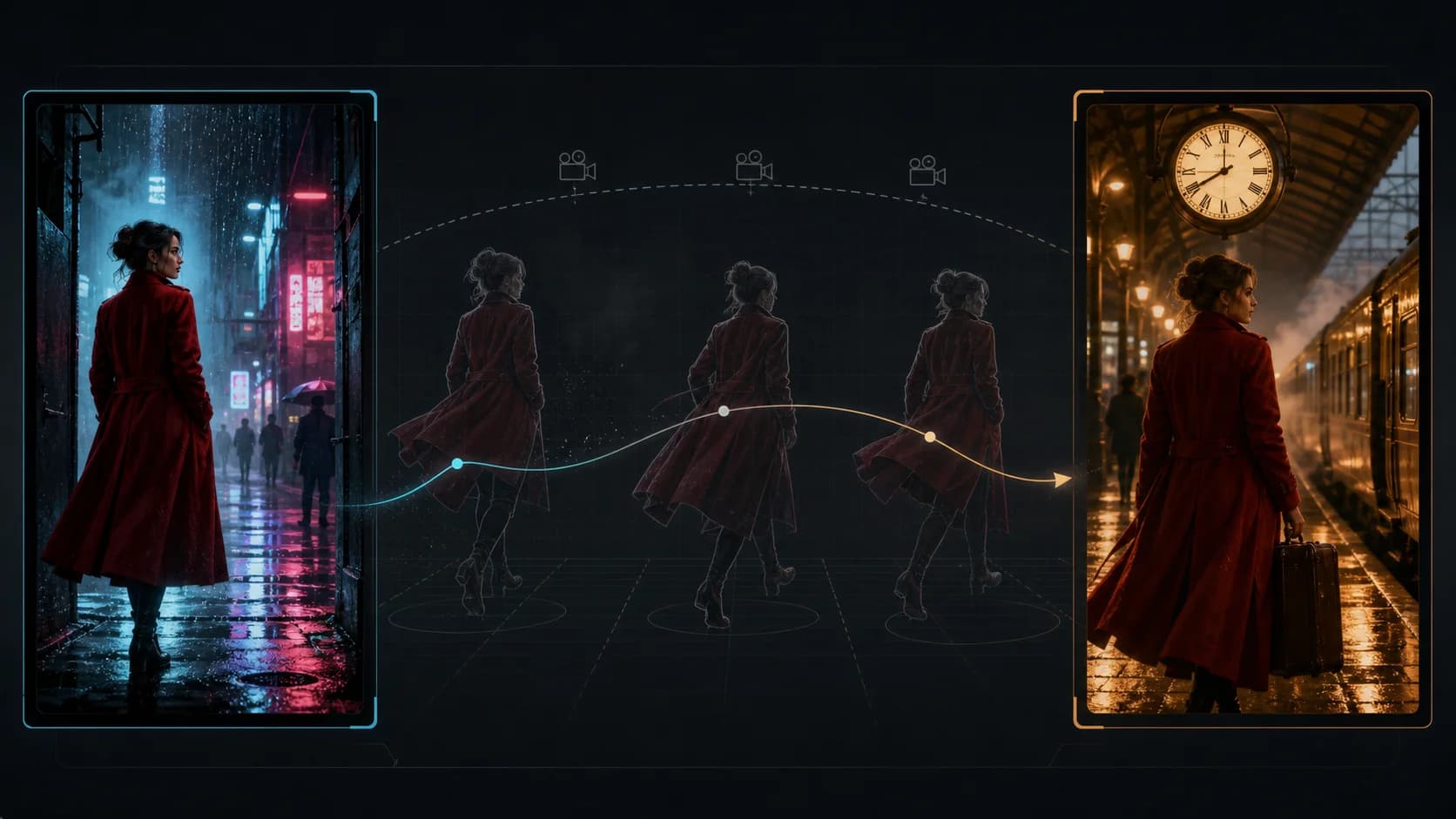
Seedance 2.5 First and Last Frame Prompt Workflow
Build a Seedance 2.5 first-and-last-frame prompt that connects two images with a clear path, stable physics, controlled camera motion, and a reproducible test.