
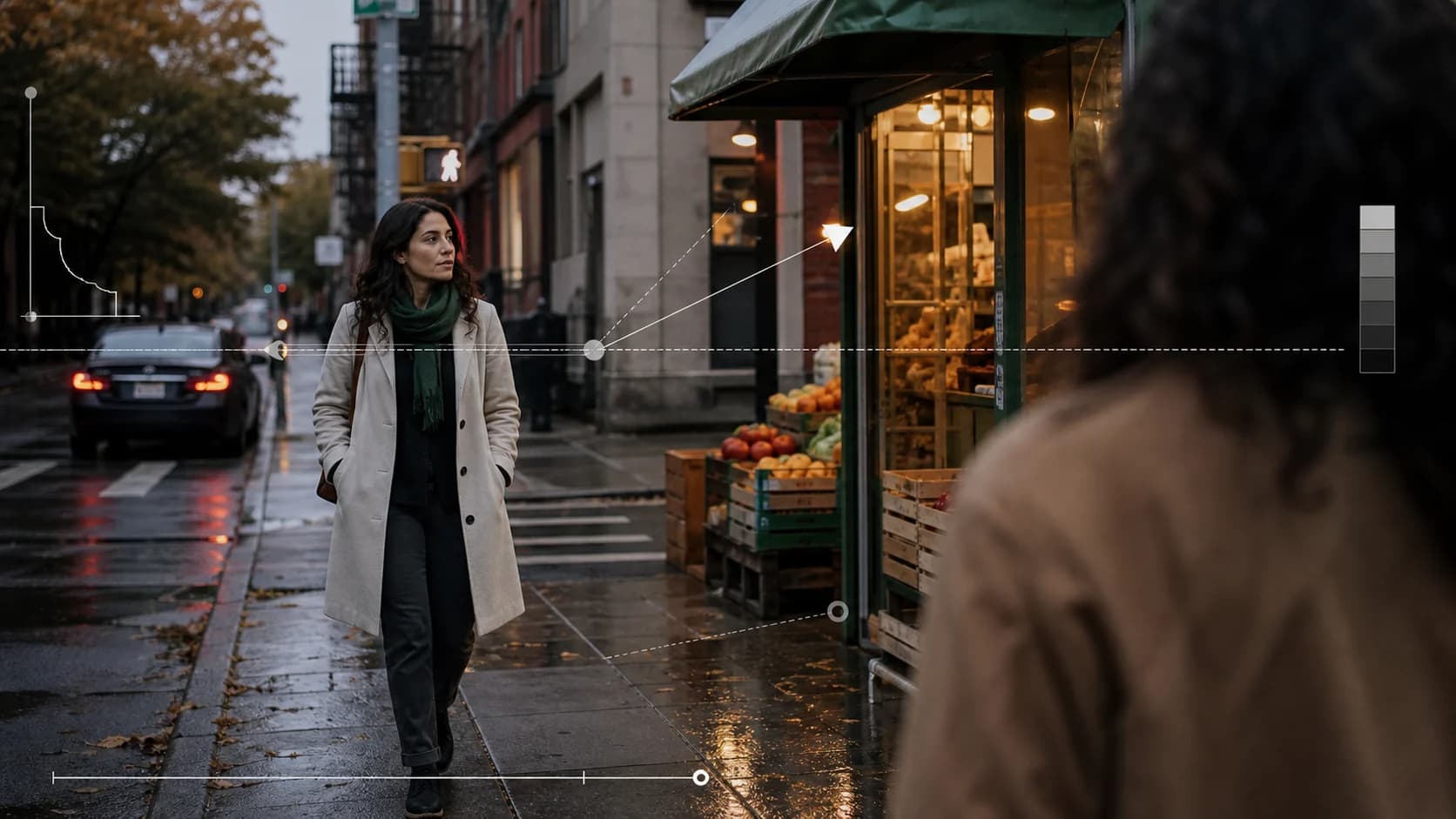
Seedance 2.5 Realistic Video Prompt Guide
Build realistic Seedance 2.5 video prompts with natural skin, camera behavior, lighting, physics, and a repeatable review method based on a public creator case.
A realistic Seedance 2.5 video does not come from adding “photorealistic, cinematic, 8K” to the end of a prompt. Those words describe an ambition, not the evidence a viewer uses to decide whether a shot feels recorded. Skin has uneven texture. A handheld camera corrects its framing. Exposure shifts when a subject crosses a window. Hair reacts to motion, and reflections change with the camera rather than staying painted onto the frame.
This guide turns those details into a prompt and a review process. It uses one public Seedance 2.5 creator example as a case study, then separates what the post demonstrates from what it cannot prove. The example is not a ClipDance test, and the creator's video is not copied or rehosted here. Follow the source link to inspect the original upload.
The short answer
- Describe observable camera and material behavior, not a stack of quality adjectives.
- Use one coherent capture language: documentary handheld, locked tripod, phone video, or controlled cinema camera. Mixing all four weakens the result.
- Give skin, hair, fabric, glass, and background people separate physical jobs.
- Add small imperfections that a real camera would record: focus breathing, exposure recovery, gait-induced movement, and partial occlusion.
- Keep the action simple enough that you can judge realism. A five-shot montage tests more variables than a single continuous portrait.
- Review the native output at normal speed and frame by frame. A convincing social upload is not proof of native detail, generation reliability, or average quality.
A public Seedance 2.5 realism case worth studying
On August 13, 2026, Sarah (@SyntheSarah) published a Seedance 2.5 video with the prompt used to create it.[1] The prompt plans a 15-second sequence across five shots. Instead of relying on “ultra-realistic,” it names visual signals associated with ordinary footage: natural skin texture and facial imperfections, mild handheld shake, changing exposure, background pedestrians, reflections, loose hair movement, and believable physical response.
That makes the post useful as a prompt anatomy example. It reveals which variables the creator intentionally controlled. It is less useful as a model benchmark because the post does not provide the native file, seed, number of attempts, rejected generations, or a comparison against another model under matched settings.
| Evidence available in the public post | Evidence not available |
|---|---|
| Creator identifies Seedance 2.5 | Native export and encoding details |
| Full prompt is disclosed | Seed and all interface settings |
| A finished video is attached | Total generations and failed attempts |
| Prompt identifies five planned shots | Whether every shot came from one uninterrupted run |
| Realism cues are stated explicitly | Blind viewer ratings or a camera-recorded reference |
The safe conclusion is narrow: the post shows a useful way to ask for realistic behavior and provides one selected result to inspect. It does not establish a success rate, prove that every detail came from the written prompt, or show that Seedance 2.5 will outperform another model on the same scene.
What makes an AI video look recorded rather than rendered
Realism is a chain. A shot can have convincing skin but fail when the background slides. It can have accurate reflections but feel artificial because the camera follows the subject with impossible precision. Break the problem into five layers so one vague request does not carry the whole prompt.
1. Surface detail that survives movement
“Natural skin” is too broad. Name the properties that should remain visible: pores without aggressive sharpening, slight tonal variation, fine facial hair, a soft highlight on the forehead, and makeup that follows the face rather than floating over it.
The same rule applies to clothing and objects. Ask denim to crease at the elbow, a cotton shirt to move separately from the torso, polished metal to carry changing highlights, and a shop window to reflect the street at the correct angle. These are visible tests. “High quality textures” is not.
Do not overload the shot with microscopic requirements. At 720p, a medium shot can show skin and fabric behavior, but it cannot fairly test every eyelash while the subject runs through a crowd. Choose details that match the framing available in the Seedance 2.5 generator.
2. Camera behavior with a human cause
A camera needs a physical operator or rig. If the shot is handheld, connect the movement to footsteps and reframing. If it is on a tripod, keep the horizon and position stable. If it is a gimbal shot, allow smooth translation but avoid the weightless drift that makes a camera feel detached from the scene.
Useful instructions include:
- shoulder-height handheld follow, with low-amplitude movement from walking;
- a brief focus correction when the subject crosses behind a foreground object;
- a small exposure recovery after moving from shade into direct sun;
- framing that lags slightly when the subject changes direction;
- one motivated pan rather than constant motion.
These details are more useful than asking for a generic “cinematic camera.” For a vocabulary of specific moves, use the AI video camera movement prompt guide.
3. Light that belongs to the location
Real scenes have a limited number of plausible light sources. Name them and let materials react accordingly. A cloudy street can use broad skylight and weak reflections. A convenience store at night can combine green-white ceiling tubes, a warmer refrigerator strip, and passing car light through the windows.
Avoid asking for golden-hour backlight, neon reflections, soft studio fill, hard noon sun, and candlelight in the same ordinary shot. Each phrase may sound attractive alone, but together they remove the logic that makes lighting believable.
For a multi-shot sequence, state what changes and what stays fixed. Exposure may adapt when the subject enters a building. Time of day, weather, and the direction of the main light should not jump without a story reason.
4. Physics with visible causes and effects
Physical realism is easiest to review when an action has a clear cause, path, and result:
Her canvas tote brushes the metal chair as she passes. The chair rotates a few
degrees, the bag swings backward, and both settle naturally within one second.
That is testable. “Realistic physics” gives the model no event to solve.
Keep the number of interactions low. A face, two hands, moving hair, a drink, a reflective window, three background pedestrians, and a fast camera turn can exceed what one short shot can preserve cleanly. Start with one principal interaction and add complexity only after it works.
5. Imperfection without deliberate ugliness
Real footage is not random damage. Film grain, camera shake, lens flare, blur, and imperfect focus should have a cause and a restrained amount. Heavy noise laid over unstable geometry does not make the geometry more believable; it only makes the failure harder to inspect.
Use imperfections that reveal a capture process:
- one short rack-focus correction rather than constant focus hunting;
- mild motion blur in the direction of a fast hand;
- a clipped highlight on a reflective object that recovers as the angle changes;
- one background passerby briefly occluding the subject;
- a slight composition correction after the subject stops.
An original realistic Seedance 2.5 prompt template
The template below is original. It applies the observable-variable method without copying the public creator's prompt.
Create a 15-second realistic street-documentary video in five connected shots.

SUBJECT
One woman in her early 30s wearing a faded navy work jacket and carrying one
paper coffee cup. Preserve the same face, short wavy hair, skin tone, jacket,
cup, and body proportions in every shot. Keep natural skin texture and slight
under-eye variation; no beauty-filter smoothing.

LOCATION AND LIGHT
A small neighborhood market just after light rain, late afternoon. Soft gray
skylight is the main source. Warm light comes only from inside the shop.
Wet pavement reflects signs and passing people according to camera angle.

SHOT PLAN
0-3s: Shoulder-height medium-wide handheld follow as she walks toward the shop.
The camera movement follows the operator's steps with restrained vertical sway.
3-6s: Side medium shot as she slows beside the window. Her hair and jacket hem
respond to a brief breeze; the cup remains in her right hand.
6-9s: Close profile through the glass. Focus moves from her reflection to her
eyes once, then stays. Preserve pores and fine hair without oversharpening.
9-12s: A passerby briefly crosses the foreground. The camera corrects framing
slightly after the occlusion; do not cut or teleport the subject.
12-15s: She opens the door and steps inside. Exposure adjusts gradually from
cool outdoor light to the warmer interior. End on a stable one-second hold.

PHYSICS AND SOUND
Footsteps match the walking rhythm. The paper cup tilts with her arm but does
not spill. The door has weight and stops against its closer. Use quiet street
ambience, one bicycle bell in the distance, the door hinge, and interior room
tone. No music or dialogue.

EXCLUSIONS
No extra cup, duplicate subject, face replacement, wardrobe change, floating
reflection, impossible camera orbit, artificial lens flare, subtitles, logo,
beauty filter, or abrupt lighting change.
Use text to video when the subject does not need to match an existing person. Use reference to video when identity or wardrobe must follow supplied images. If the first frame already has the look you need, the image-to-video workflow removes some appearance ambiguity before motion begins.
How to test whether the prompt improved realism
Changing the prompt and looking at one preferred output is not a test. Keep the setup simple enough to compare.
- Choose one baseline. Generate a version with a short prompt containing only subject, location, action, and camera.
- Add one realism layer. Introduce camera behavior first, then material response, then exposure or physics. Do not change all fields at once.
- Keep the settings matched. Use the same model, duration, aspect ratio, resolution, seed when available, and number of attempts.
- Keep every result. Selected winners hide the retry cost. Record how many runs remain usable through the last frame.
- Review by category. Score identity, camera, light, material behavior, physics, background stability, and sound separately.
- Inspect recovery. Pause before, during, and after fast movement. Real motion blur clears; broken anatomy or geometry often does not.
- Review without the prompt. Ask a second viewer what looks synthetic before telling them which details were requested.
A compact scorecard keeps the decision concrete:
| Category | Question | Pass condition |
|---|---|---|
| Identity | Does the same person return after cuts and occlusion? | Face, hair, clothing, and proportions recover without replacement |
| Camera | Does movement have a plausible rig or operator? | Horizon, parallax, focus, and reframing agree with the named camera style |
| Lighting | Do highlights and exposure follow the location? | Sources stay consistent; changes have a visible cause |
| Materials | Do skin, hair, fabric, glass, and metal behave differently? | Surface response follows movement and view angle |
| Physics | Does contact produce a plausible result? | Props keep mass, direction, ownership, and final position |
| Background | Does the world persist while attention stays on the subject? | People and architecture do not duplicate, smear, or jump |
| Audio | Does sound belong to visible events and the space? | Timing, distance, ambience, and cuts remain coherent |
Common realism prompt failures
Writing a camera shopping list
“ARRI, RED, IMAX, 35mm, anamorphic, DSLR, iPhone” is not a camera plan. Pick the capture language that suits the scene, then describe its behavior. A casual street portrait can feel more real with restrained phone-camera exposure than with six incompatible cinema labels.
Asking for flaws without protecting identity
Skin variation and imperfect focus can help, but “asymmetrical face” or “messy details” can also invite identity drift. Lock the person's stable features first. Apply imperfection to texture, exposure, framing, and environment rather than to who the subject is.
Hiding instability under effects
Smoke, rain, bloom, shallow depth of field, and fast cuts can make a clip feel polished while covering hands, props, and transitions. Run a clean version before adding atmosphere. If the clean pass does not hold together, effects are camouflage rather than improvement.
Treating a social upload as a native quality test
X recompresses video, and creators usually publish selected results. A post can teach prompt construction, art direction, and visible failure modes. It cannot establish native resolution, average reliability, or cost per accepted clip without the original files and generation history.
Frequently asked questions
Can Seedance 2.5 make photorealistic video?
It can produce selected examples that creators describe and present as realistic, including the public case discussed here. Whether it meets a specific production standard depends on the scene, references, number of attempts, and native output. Test the exact subject and motion you need rather than relying on a highlight reel.
Should I add “8K” or “ultra-realistic” to the prompt?
Those phrases do not change the selected output resolution. They may influence style, but they do not replace instructions about skin, materials, lighting, camera behavior, or physics. Select resolution in the interface and use prompt space for observable decisions.
Is text-to-video or image-to-video more realistic?
Text-to-video gives the model more freedom to design a coherent scene. Image-to-video starts with a fixed appearance, which is helpful when identity, product design, or composition matters. The better choice is the one that controls the variable your shot cannot afford to lose.
How many shots should a 15-second prompt contain?
Five short shots can work for a montage, as the public Sarah example illustrates, but every cut adds a continuity test. Use one or two shots when identity or physical interaction matters more than coverage. Use a montage when variety is the goal and you expect to edit selected moments.
How can I tell motion blur from a generation error?
Motion blur follows direction and clears when movement slows. A generation error changes anatomy, identity, prop shape, or background geometry and often fails to recover. Check frames before and after the movement, not only its peak.
Use realism as a reviewable brief
The useful lesson from the public Sarah case is not a magic phrase. It is the decision to specify natural skin, camera imperfection, exposure, background activity, reflections, and physics as separate visible behaviors. That turns “make it realistic” into a brief you can evaluate.
Start with one capture style and one physical event. Generate several matched candidates, keep the failures, and add complexity one layer at a time. The prompt should make the shot easier to judge, not merely more impressive to read.
References
- Sarah (@SyntheSarah). Seedance 2.5 realistic five-shot prompt and creator example. Posted August 13, 2026. View the original post and video on X. The post is a creator-reported example; this article does not reproduce or independently benchmark its media.
- ByteDance Seed. Seedance 2.5 official model page. Retrieved August 2026 from seed.bytedance.com/en/seedance2_5.
- ClipDance. Seedance 2.5 prompt guide: examples and templates. Retrieved August 2026 from clipdance.ai/blog/seedance-2-prompts-guide.
Author

Categories
More Posts
Why AI Video Generators Distort Faces—and How to Fix It
Fix warped, drifting, or melting faces in AI video with a controlled workflow for framing, motion, references, camera movement, lighting, and shot review.
Seedance 2.5 Release Date: What's Confirmed So Far
The Seedance 2.5 release date tracked against official sources: the June 23 announcement, the July launch window, what ByteDance confirmed, what is rumor.
Seedance 2.5 Prompt Guide: Examples & Templates
Learn the official Seedance 2.5 prompt formula with examples for 30-second timing, references, editing, extensions, keyframes, blockouts, audio, and camera.