
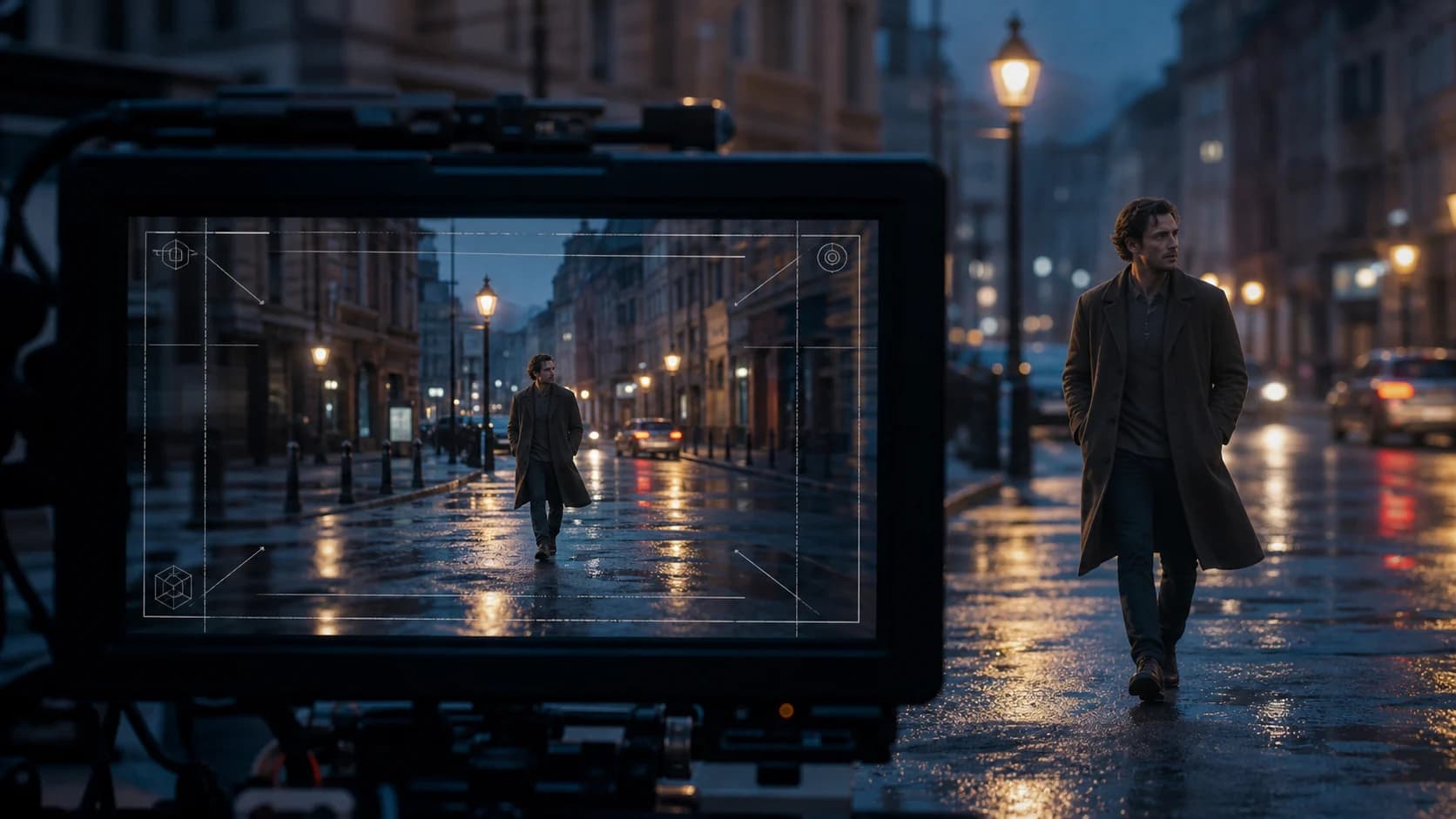
Veo 3 Realistic Video Prompt Guide: Camera, Light, Motion, and Audio
Write more realistic Veo 3 prompts with a practical shot-building workflow for subjects, action, camera, lighting, physics, audio, negative prompts, and review.
Adding “photorealistic” to a Veo 3 prompt is not enough. Realism comes from a scene whose camera, light, motion, materials, and sound agree with one another. A polished frame can still feel synthetic when a hand moves without weight, the background ignores the lens, or the room sounds larger than it looks.
This guide turns that problem into a repeatable workflow. It follows the prompt components in Google's current video-generation guidance, then adds a review method for finding the one detail that makes an otherwise strong clip feel wrong.[1]
The Short Version
- Build one shot, not an entire film, in each prompt.
- Specify the subject, one primary action, setting, framing, camera movement, light, material cues, and audio.
- Use physical cause and effect: feet compress grass, cloth reacts to wind, a glass changes reflections as it turns.
- Pick one camera move. Stacking a dolly, orbit, zoom, crane, and handheld shake usually weakens control.
- Describe unwanted elements as a negative-prompt list rather than writing “do not” repeatedly.
- Judge realism by the weakest cue, not by the prettiest frame.
Start With a Shot, Not a Mood Board
The most useful unit for a video prompt is a shot that a camera crew could understand. “A cinematic woman in Paris” names a subject and a broad aesthetic. It does not define what happens, where the camera is, or what changes during the clip.
A production-ready version makes those choices explicit:
Medium-wide eye-level shot of a woman in a charcoal wool coat waiting at a
quiet Paris bus stop just after rain. She checks the arrival board, shifts her
weight, and exhales into the cold air. Slow lateral truck from left to right,
50mm documentary lens, soft overcast daylight, wet pavement reflecting muted
shop lights. Natural coat movement and subtle breath vapor.

Audio: distant traffic, light tire spray on wet asphalt, one bus braking off-screen.
That prompt gives the model a subject, action sequence, place, camera position, movement, optics, light, materials, atmosphere, and sound. More importantly, those instructions describe the same physical moment.
Open the Veo 3 generator when you want to turn the examples below into your own controlled shot. Availability, duration, resolution, and audio controls can differ by the selected Veo route, so treat the form you are using as the final contract.
A Seven-Part Veo 3 Realism Prompt
Google's prompt guide separates video direction into subject, action, scene, camera angle, camera movement, lens or optical effects, visual style, time, and audio. You do not need every possible field. You need the fields that remove ambiguity from this particular shot.[1]
Use this compact order:
[framing + subject] + [one action sequence] + [place and time] +
[camera movement + lens] + [lighting and materials] +
[physical response] + [audio]
1. Give the subject observable details
Choose details the camera can see: age range, clothing material, posture, carried object, surface condition, or species. Avoid biography that never appears in the frame.
Weak:
A successful architect walks into an office.Stronger:
A woman in her early forties wearing a navy linen suit enters a quiet model
studio, carrying a cardboard scale model with both hands.
The second version gives the model visual anchors. “Successful” is an interpretation; linen, cardboard, posture, and hand placement are visible.
2. Write actions in a readable order
One action with a reaction often looks more convincing than five unrelated actions. Make the sequence physically possible within the clip.
He places the ceramic cup on the counter. Coffee ripples once near the rim.
He releases the handle, then looks toward the open doorway.
The cup placement causes the ripple. The hand releases before the character turns. Small sequencing choices reduce the feeling that objects and bodies are teleporting between states.
3. Make the environment participate
The setting should affect the subject. Wind moves hair and fabric. Rain changes surfaces and sound. A fluorescent office creates different skin highlights from a window at golden hour.
Instead of:
A cyclist on a realistic city street.Try:
A commuter cyclist crosses a narrow residential street at dawn. The tires pass
through a shallow puddle, sending a low fan of water outward. Apartment windows
are still dim; cool sky light reflects on the wet road.
4. Choose a camera position before a camera move
Framing determines what can be judged. A close-up is useful for emotion and skin texture; a wide shot is better for walking, balance, and interactions with the environment. Google's guide includes eye-level, low- and high-angle, bird's-eye, close-up, medium, wide, over-the-shoulder, and point-of-view framing.[1]
Then add one movement:
- Static: dialogue, product details, subtle performance.
- Slow dolly in: growing attention or tension.
- Lateral truck: a person or vehicle moving across a space.
- Handheld follow: documentary immediacy, used gently.
- Arc shot: a controlled reveal around a stable subject.
- Crane or aerial move: geography and scale.
If realism is the goal, “cinematic camera movement” is less useful than a movement that could be mounted and operated in the described space.
5. Use lens language to control perspective
Lens terms should support the framing rather than decorate the prompt.
35mm handheld medium shotsuggests environmental context and a closer camera position. A longer lens and shallow depth of field isolate the subject and compress the background. A deep depth of field keeps the room readable. Google also documents rack focus, lens flare, wide-angle perspective, telephoto compression, and dolly zoom, while warning that advanced camera effects may vary in reliability.[1]
Use one optical idea at a time. If the identity, action, and physics matter more than an effect, remove the effect during the first generation.
6. Describe motivated light and real materials
Real light has a source. Name it and describe what it does.
Soft morning window light from camera-left, weak warm practical lamp in the
background, gentle falloff across the face, no hard beauty-light fill.
Material cues help because they create expectations the video must maintain:
- worn leather bends and creases;
- brushed metal carries broad, soft reflections;
- thin cotton reacts faster to wind than a heavy wool coat;
- wet asphalt reflects light unevenly;
- skin has fine texture and restrained specular highlights.
Avoid piling “8K, HDR, ultra-detailed, masterpiece” onto every prompt. Resolution labels do not repair inconsistent light or weight.
7. Put audio in a separate sentence
Google recommends explicitly describing audio and gives separate patterns for sound effects, ambience, and dialogue.[1] A separate audio sentence makes the relationship easier to inspect.
Audio: quiet refrigerator hum, cloth movement, ceramic touching stone, no music.For dialogue, state the speaker and the line:
The mechanic looks at the loose belt and says: “That explains the noise.”
Audio: workshop room tone, a distant air tool, no background music.
Keep the spoken line short enough for the shot. If the performance is wrong, test the visual action without dialogue first, then add the line as a second variable.
Three Prompt Templates You Can Reuse
Realistic portrait performance
Medium close-up at eye level of [person and visible wardrobe] in [specific place].
[One small action followed by one facial reaction]. Locked tripod with a subtle
slow push-in, [lens] look, [motivated light source], realistic skin texture,
natural blinking and restrained head movement. Background activity remains soft
and physically consistent.

Audio: [room tone], [one local sound], [short dialogue or no dialogue].
Realistic product shot
Close three-quarter view of [product and materials] on [surface]. A hand enters
from frame-right, rotates it once, and sets it down. Slow 90-degree arc shot,
macro product lens, controlled studio key from upper left and a narrow rim light.
Label geometry stays stable; reflections move continuously across the surface.

Audio: soft room tone, fingertips on [material], one clean placement sound.
Realistic exterior action
Wide eye-level shot of [subject] moving through [location, weather, time].
[Action with visible cause and response]. Smooth lateral tracking at matching
speed, 35mm documentary perspective, [natural light], consistent shadows and
contact with the ground. Wind affects loose fabric and nearby vegetation in the
same direction.

Audio: [ambient bed], [movement sound], [one distant environmental cue].
Negative Prompts: Name the Artifact
Google's current guidance recommends listing unwanted content instead of writing instructions such as “no” or “do not show.”[1]
For a realistic portrait, a negative field might read:
beauty-filter skin, waxy texture, frozen background extras, excessive head sway,
warped fingers, duplicate accessories, floating objects, abrupt exposure changes
Keep the list tied to defects you actually observed. A giant inherited negative-prompt list can conflict with the positive direction and makes it harder to know what fixed the result.
Fix the Most Common “Almost Real” Failures
The face looks polished but synthetic
Reduce beauty language. Replace “perfect face, flawless skin” with motivated light, fine skin texture, and a small performance. Use a medium close-up rather than an extreme close-up for the first pass. If the face distorts during fast movement, simplify the head motion and camera movement separately before combining them.
Walking looks like sliding
Show ground contact and pace:
heel-to-toe walking at an unhurried pace, shoes compressing damp grass slightly,
arms swinging naturally; camera tracks at the same speed
Keep the feet visible. A tight portrait cannot prove that the walk is correct.
The scene feels like a game render
Remove generic “epic cinematic 8K” language and add ordinary imperfections: weak practical lights, uneven wet surfaces, restrained color, minor cloth wrinkles, or atmospheric depth. Do not add film grain as a universal cure; grain can hide detail without fixing motion or lighting.
The camera floats through solid space
Choose a plausible path. A small apartment may support a locked shot, short dolly, or gentle handheld follow, but not a huge crane orbit. Describe foreground occlusion when the camera passes a door frame or object so the move belongs to the room.
Audio makes the image less believable
Match acoustic scale to visible space. A small kitchen should not have cathedral reverb. Specify one ambience bed and a few motivated sounds. Remove music while evaluating dialogue and effects; add it later in the edit if the model's score masks synchronization problems.
A Controlled Review Workflow
Do not change the whole prompt after every weak result. You will not know which edit mattered.
- Lock the content: subject, location, action, duration, and aspect ratio.
- Generate a static-camera baseline: this reveals whether the action itself works.
- Add one camera move: compare body motion, geometry, and background continuity.
- Add audio: check whether dialogue or effects change the visual performance.
- Change one realism variable: light, material detail, lens, or action timing.
- Keep every candidate: selected examples alone hide the failure rate.
Review each clip on five axes:
| Axis | What to inspect |
|---|---|
| Identity and anatomy | face shape, hands, clothing, accessories, body proportions |
| Physics | contact, weight, gravity, cloth, fluids, object reactions |
| Camera | path, focus, perspective, exposure, background continuity |
| Materials and light | reflections, shadows, texture, consistent light sources |
| Audio | source, timing, room scale, dialogue clarity, visual relationship |
The lowest-scoring axis is the next prompt change. This is faster than adding more adjectives to every field.
For a wider vocabulary of moves, see the AI video camera movement prompt guide. If you want to compare realism against reference control rather than prompting Veo alone, read Seedance 2.0 vs Veo 3.
Frequently Asked Questions
What is the best Veo 3 prompt structure for realism?
Use framing and subject, one action sequence, scene, one camera move, lens, motivated light, physical response, and a separate audio sentence. The structure matters because it makes contradictions visible before generation.
Should I write “photorealistic” in every Veo 3 prompt?
It can set the broad style, but it does not replace camera, light, material, and motion direction. A physically coherent plain-language prompt is usually more useful than a long stack of quality adjectives.
How do I stop Veo from distorting faces?
Start with a medium close-up, restrained head movement, a static camera, and soft motivated light. Test face performance before adding a fast orbit, dialogue, or complex background action. Change one variable per attempt.
How should dialogue be written?
Name the speaker and put the exact short line after a speaking verb. Add ambience and effects in a separate audio sentence. Keep the line short enough for the selected clip duration.
Do negative prompts improve realism?
They help when they name a defect you observed, such as waxy skin, warped fingers, or abrupt exposure shifts. They are less useful as a huge generic list copied into every scene.
References
- [1] Google Cloud. Video generation prompt guide, updated August 8, 2026. The guide documents subject, action, scene, camera, optical, style, audio, and negative-prompt patterns and notes that some advanced camera effects may vary in reliability.
- [2] Google Cloud. Veo video generation documentation. Model availability and supported controls can differ by version and access route.
Author

Categories
More Posts
How to Enhance Video Resolution With AI Without Installing Desktop Software
Enhance video resolution with AI in your browser. Compare 1×, 2×, and 4× upscaling, avoid common mistakes, and review video quality correctly.
How to Use Seedance 2.0
Step-by-step guide on how to use Seedance 2.0 — every generation mode explained with examples, prompt tips, and credit-saving techniques for beginners and pros.
Happy Horse 1.0 vs Seedance 2.0: Which AI Video Model Should You Use?
Happy Horse 1.0 vs Seedance 2.0 compared on quality, API access, references, audio, cost, and the best workflow for each AI video model.